
ISO 27001 Clause 10.2 Nonconformity and Corrective Action is a mandatory requirement for organizations to systematically respond to security failures. The Primary Implementation Requirement involves conducting a thorough root cause analysis to prevent recurrence, while the Business Benefit ensures a resilient, self-healing management system that maintains stakeholder trust and certification integrity.
In this guide, I will show you exactly how to implement ISO 27001 Clause 10.2 and ensure you pass your audit. You will get a complete walkthrough of the control, practical implementation examples, and access to the ISO 27001 templates and toolkit that make compliance easy.
I am Stuart Barker, an ISO 27001 Lead Auditor with over 30 years of experience conducting hundreds of audits. I will cut through the jargon to show you exactly what changed in the 2022 update and provide you with plain-English advice to get you certified.
Key Takeaways: ISO 27001 Clause 10.2 Nonconformity and Corrective Action
ISO 27001 Clause 10.2 requires organizations to react to nonconformities (deviations from policies, procedures, or the standard itself) and take corrective action to prevent them from recurring. This clause is the mechanism for “fixing things when they go wrong.” Whether it’s a failed audit finding, a security incident, or a missed training deadline, you must have a formal process to investigate the root cause and implement a permanent fix. This ensures your Information Security Management System (ISMS) is self-healing and resilient.
Core requirements for compliance include:
- Immediate Reaction: When a nonconformity occurs, you must first take action to control and correct it (the “Correction”) and deal with any immediate consequences (e.g., mitigating a data breach).
- Root Cause Analysis (RCA): You cannot just fix the symptom; you must evaluate the need for action to eliminate the cause. Techniques like the 5 Whys or Fishbone diagrams are essential here.
- Implementation of Corrective Action: Once the root cause is known, you must implement a specific action to prevent recurrence. This could involve updating a policy, changing a software configuration, or retraining staff.
- Verification of Effectiveness: You must review the corrective action after a set period to ensure it actually worked. Did the problem stop? If not, the action was ineffective.
- Documented Evidence: You must keep records of the nonconformity, the actions taken, and the results. This is typically managed in a Corrective Action Log.
Audit Focus: Auditors will look for “The Problem-Solving Trail”:
- The Log: “Show me your Nonconformity and Corrective Action Log. If it’s empty, I’ll be suspicious, no system is perfect.”
- Depth of RCA: “You identified a patching failure. Did you just patch the server (Correction), or did you find out why the auto-patching process failed (Corrective Action)?”
- Closure Evidence: “Show me the evidence (e.g., a re-test or follow-up audit) that proves this nonconformity is truly closed.”
Correction vs. Corrective Action (Audit Prep):
| Term | Definition | Example Scenario |
| Correction | The immediate “fix” to the problem. | Restoring a deleted file from backup. |
| Corrective Action | Eliminating the Root Cause to prevent recurrence. | Changing permissions so users can’t delete files. |
| Nonconformity | The failure to meet a requirement. | Backup policy states “Daily,” but logs show “Weekly.” |
Table of contents
- What is ISO 27001 Clause 10.2?
- ISO 27001 Clause 10.2 Process Explained
- What are minor nonconformities and major nonconformities?
- ISO 27001 Clause 10.2 Explained: A Complete Guide
- How to implement ISO 27001 Clause 10.2
- ISO 27001 Clause 10.2 Implementation Checklist
- How to pass the ISO 27001 Clause 10.2 audit
- How to audit ISO 27001 Clause 10.2
- ISO 27001 Clause 10.2 Audit Checklist
- Fast Track ISO 27001 Clause 10.2 Compliance with the ISO 27001 Toolkit
- Top 3 ISO 27001 Clause 10.2 Mistakes and How to Fix Them
- ISO 27001 Clause 10.2 Applicability Across Different Business Models
- Regulatory Clock: Statutory Reporting Deadlines
- ISO 27001 Clause 10.2 FAQ
- ISO 27001 Clause 10.2 Related ISO 27001 Controls
- ISO 27001 Clause 10.2 Mapped to other standards and Laws
- Further Reading
What is ISO 27001 Clause 10.2?
A nonconformity is a deviation from the requirements of your ISMS. This could be anything from a broken process, a missed security policy, an incident, or a failed audit finding.
It is important because things change and no management system is 100% effective 100% of the time, so you need a process to handle when things inevitably go wrong.
Purpose and Definition
The purpose of ISO 27001 Clause 10.2 Nonconformity and Corrective Action is to identify when things are not operating as expected and to make sure that when things go wrong they are corrected.
The ISO 27001 standard defines ISO 27001 Clause 10.2 Nonconformity and Corrective Action as:
When a nonconformity occurs, the organisation shall: a) react to the nonconformity, and as applicable: 1) take action to control and correct it; and 2) deal with the consequences; b) evaluate the need for action to eliminate the causes of nonconformity, in order that it does not recur or occur elsewhere, by: 1) reviewing the nonconformity; 2) determining the causes of the nonconformity; 3) determining if similar nonconformities exist, or could potentially occur; c) implement any action needed; d) review the effectiveness of any corrective action taken; and e) make changes to the information security management system, if necessary. Corrective actions shall be appropriate to the effects of the nonconformities encountered. Documented information shall be available as evidence of: f) the nature of the nonconformities and any subsequent actions taken, and g) the results of any corrective action.
ISO 27001:2022 Clause 10.2 Nonconformity and Corrective Action
The requirement is that when a non conformity happens that the organisation:
- take action to control and correct it
- deal with the consequences
- review the nonconformity
- determine the causes of the nonconformity
- determine if similar nonconformities exist, or could potentially occur
- implement any action needed
- review the effectiveness of any corrective action taken
- make changes to the information security management system, if necessary
- keep documents and evidence for audit
What Changed in ISO 27001:2022 Clause 10.2?
In the transition from the 2013 version to ISO 27001:2022, the most immediate change you will notice is a structural swap within Clause 10 (Improvement). Previously, “Nonconformity and Corrective Action” was Clause 10.1; it has now moved to Clause 10.2. While the core requirement to react to nonconformities, evaluate the root cause, and implement corrective actions remains robust, the 2022 update aligns the text more closely with the Harmonised Structure (HS) used across all ISO management system standards. This change emphasises that correcting nonconformities is a reactive part of the broader, proactive “Continual Improvement” mandate.
| Feature | ISO 27001:2013 (Old Standard) | ISO 27001:2022 (Current Standard) |
|---|---|---|
| Clause Number | Clause 10.1: Nonconformity and corrective action | Clause 10.2: Nonconformity and corrective action (Swapped with Continual Improvement) |
| Structure | Listed before Continual Improvement (Clause 10.2). | Listed after Continual Improvement (Clause 10.1), aligning with the Harmonised Structure. |
| Requirement Text | Focused on reacting to nonconformities and taking action to eliminate causes. | Text is largely unchanged but refined for clarity. It explicitly requires you to “make changes to the ISMS, if necessary” as a direct output of the process. |
| Preventive Action | Implicitly covered by the requirement to determine if similar nonconformities “could potentially occur.” | Remains focused on preventing recurrence or occurrence elsewhere, reinforcing that the ISMS itself is the preventive tool. |
ISO 27001 Clause 10.2 Process Explained
Non-conformity and corrective action are processes that fall within the scope of incident management. This framework can be structured as a Level 2 incident management process or as a dedicated sub-process. The critical first step is to identify that an event has a potential or actual impact on information security. Once this is established, you can invoke your formal processes for managing the non-conformity.
| Step Ref | Process Step | Action Required | Goal / Deliverable |
|---|---|---|---|
| 1 | React to the Nonconformity | Take immediate action to control and correct the issue (Correction) and mitigate immediate consequences. | Goal: Containment. Deliverable: Incident Log updated with immediate actions. |
| 2 | Evaluate the Nonconformity | Analyse what went wrong and why. Decide on the necessary course of action to prevent recurrence. | Goal: Root Cause Identification. Deliverable: Root Cause Analysis (RCA) report. |
| 3 | Manage (Correct) the Nonconformity | Implement the planned corrective actions. This may involve updating the ISMS, changing processes, or patching systems. | Goal: Remediation. Deliverable: Updated policies, procedures, or system configurations. |
| 4 | Verify Effectiveness | Review the changes after a set period to ensure they actually worked. Often involves a targeted internal audit. | Goal: Verification. Deliverable: Audit report or re-test evidence confirming closure. |
| 5 | Document Evidence | Record the nature of the nonconformity, actions taken, and verification results as formal evidence for the auditor. | Goal: Compliance. Deliverable: Fully completed Corrective Action Log entry. |
What are minor nonconformities and major nonconformities?
While a non-conformity is simply a failure to meet a requirement, auditors typically classify them into two main types: minor nonconformities and major nonconformities.
ISO 27001 has built in the distinction between things that on the whole work but on a couple of times it was found it did not work (minor nonconformities) and things that just do not work at all and may even not be implemented (major nonconformities).
This classification is a convention used during audits to determine the severity of the issue and the potential impact on certification.
| Feature | Minor Nonconformity | Major Nonconformity |
|---|---|---|
| Definition | A single, isolated lapse or partial failure that does not impact the overall effectiveness of the ISMS. | A significant failure indicating a systemic breakdown or total absence of a required control/process. |
| Impact on Certification | Certification Granted: You can still achieve/maintain certification, provided a Corrective Action Plan is accepted. | Certification Blocked: The audit is failed. Certification is delayed until the issue is fully resolved and verified on-site. |
| Audit Severity | “It mostly works, but failed once.” (Localised issue) | “It doesn’t work at all,” or “You aren’t doing it.” (Systemic issue) |
| Real-World Examples |
|
|
Minor nonconformity
A minor nonconformity is a single, isolated lapse or a partial failure to meet a requirement that does not significantly impact the overall effectiveness of your management system (e.g., ISO 27001 or ISO 9001). It’s a localised issue that does not compromise the system’s ability to achieve its objectives.
An organisation can still achieve or maintain its certification with minor nonconformities, but it must have a clear plan and timeline for corrective action
Minor nonconformity examples
Here are some examples that I have seen:
- One person in ten has not done their mandatory information security training
- One person out of fifteen was seen to have anti virus disabled
- A document in the management system was found to have not been updated
Major nonconformity
A major nonconformity is a significant failure to meet a requirement that has or could have a serious impact on the management system’s effectiveness. It indicates a systemic or critical breakdown that could compromise the company’s ability to meet its objectives, customer expectations, or regulatory requirements.
A major nonconformity will result in a failed audit and a delay in certification until the issue is fully resolved and verified by the auditor.
Major nonconformity examples
- You said you do disaster recovery tests but in fact you have not
- You have policies and procures but no one follows them
- A previous nonconformity was not addressed, and the issue has recurred.
ISO 27001 Clause 10.2 Explained: A Complete Guide
In this tutorial video, How to implement ISO 27001 Clause 10 Improvement I show you how to implement nonconformity and corrective action as part of the wider requirement of continual improvement.
How to implement ISO 27001 Clause 10.2
Based on my experience and what I have seen work well the following are the best practice implementation steps to implement ISO 27001 Nonconformity and Corrective Action.
Implementing ISO 27001 Clause 10.2 requires a structured approach to identifying, fixing, and preventing issues. Follow these 10 steps to implement a robust Nonconformity and Corrective Action process that meets the requirements of the Lead Auditor and ensures your ISMS continually improves.
1. Implement a Continual Improvement Policy
We need an ISO 27001 Continual Improvement Policy. Policies are statements of what we do, not how we do it (which is covered in the process documents), but the policy sets out your approach to how we handle nonconformities and corrective actions.
- Purpose: To define the rules of engagement for fixing problems.
- Auditor Check: Ensure this policy is approved by senior management.
2. Implement an Incident and Corrective Action Log
Implement and use the ISO 27001 incident and corrective action log that includes the required fields and allows you to manage incidents and corrective actions. This is the main tool for the management of nonconformity.
- Requirement: The log must capture the issue description, root cause, action taken, and verification of effectiveness.
- Tip: Keep this log centralised; an empty log is often a red flag for auditors.
3. Implement an Incident Management Process
The incident management process sets out how you deal with incidents. Incidents are one of the major sources of identifying nonconformities. You must have a clear channel (e.g., Service Desk or email) for staff to report issues.
- Integration: Ensure your daily operational ticketing system links to your formal ISMS log.
4. Implement a Continual Improvement Process
The ISO 27001 continual improvement process sets out how you make fundamental changes to prevent nonconformities from reoccurring. This moves you beyond simple “bug fixing” to systemic enhancement.
- Goal: To demonstrate that the ISMS is evolving and maturing over time.
5. Identify a Nonconformity
A nonconformity is usually identified by audit or the occurrence of incidents. It is defined as the non-fulfilment of a requirement, whether that be a standard clause, a control, or an internal policy.
- Sources: Staff reports, failed backups, access control failures, or internal audit findings.
6. Process Nonconformities from Incidents
Our first step is to handle the incident and to manage the consequences of that incident (Correction). We document everything as you go and best practice would be to use an incident management system or a help desk system. Many of these come with capability out of the box and at worst they require some minor tweaks.
- Assessment: Once the immediate fix is done, we assess what happened. We look to see if this was a one-off or if there is potential that the incident could happen again or elsewhere.
- Action: We take appropriate actions to ensure that this does not and cannot occur again. This may include risk management and accepting that it may occur if the cost of action is too high (requiring Management Review sign-off).
- Tool: We find the use of the ISO 27001 incident and corrective action log is ideal for managing this process.
7. Process Nonconformities from Audits
When an audit results in a nonconformity, we follow a similar process to handling incidents. The nonconformity is recorded on the incident and corrective action log immediately.
- Remediation: Remediation is planned and implemented under the guidance of the management review team.
- Evidence: Auditors will look for the “audit trail” from the finding in the report to the entry in the log.
8. Conduct Root Cause Analysis
For every significant nonconformity, a root cause analysis is conducted. You cannot simply fix the symptom; you must evaluate the need for action to eliminate the cause so it does not recur.
- Method: Use techniques like the “5 Whys” to dig deeper than “human error.”
9. Verify Effectiveness
You must review the effectiveness of any corrective action taken. This usually involves a re-test or a specific check after a defined period (e.g., 3 months) to ensure the issue has not returned.
- Closure: A nonconformity can only be marked as “Closed” in the log once effectiveness is verified.
10. Report to Management Review
The ISO 27001 Management Review Team provides the management oversight and decision-making body. Be sure to report to the meeting and minute the meeting minutes regarding all open and closed nonconformities.
- Requirement: Clause 9.3 explicitly requires reporting on “nonconformities and corrective actions.”
ISO 27001 Clause 10.2 Implementation Checklist
| Step | The Requirement (Clause 10.2) | Common Challenge (The Trap) | Implementation Solution (The Fix) |
|---|---|---|---|
| 1. Define the Policy | Organisations must have a documented process to react to nonconformities. | Relying on ad-hoc, verbal agreements on how to fix things, leading to inconsistent responses. | Formalise a Continual Improvement Policy. Explicitly state the workflow: Identify > Correct > Analyze Root Cause > Remediation > Verification. |
| 2. Create the Log | Documented information must be available as evidence of the nature of nonconformities and actions taken. | Scattered evidence across emails, Slack, and Jira, making it impossible to audit. | Deploy a centralised Incident and Corrective Action Log. Ensure it has mandatory fields for “Root Cause” and “Date Closed.” |
| 3. Establish Reporting Channels | React to the nonconformity (implies you must first know about it). | Staff are afraid to report mistakes, or they don’t know how to report them. | Integrate reporting into daily tools. Create a specific “Security Incident” ticket type in your Service Desk or a dedicated email address (e.g., security@domain.com). |
| 4. Immediate Correction (Triage) | “Take action to control and correct it and deal with the consequences.” | Confusing “Correction” (the band-aid) with “Corrective Action” (the cure). | Train staff to stop the bleeding immediately (e.g., disable the account, isolate the server) and record this as the “Immediate Action” in the log. |
| 5. Grade the Severity | “Evaluate the need for action.” | Treating a missed signature the same as a ransomware attack, or conversely, ignoring systemic issues. | Implement a triage matrix. Classify issues as Minor (isolated lapse) or Major (systemic failure) to prioritise resources effectively. |
| 6. Root Cause Analysis (RCA) | “Determine the causes of the nonconformity.” | Stopping at “Human Error” or “System Failure.” These are symptoms, not causes. | Mandate the 5 Whys technique for all Major Nonconformities. Keep asking “Why?” until you find the broken process or missing policy. |
| 7. Plan Corrective Action | “Implement any action needed.” | Vague promises like “Will train staff” without a deadline or owner. | Assign a specific Owner and a hard Deadline. The action must directly address the Root Cause identified in Step 6. |
| 8. Update the ISMS | “Make changes to the information security management system, if necessary.” | Fixing the technical issue but failing to update the relevant policy or procedure document. | Link the corrective action to your Change Management Process. If you change a configuration, update the Standard Operating Procedure (SOP). |
| 9. Verify Effectiveness | “Review the effectiveness of any corrective action taken.” | Closing the ticket the moment the patch is applied. | Leave the ticket “Pending Verification” for 3 months. Re-test or audit the control. Only close it if the issue has not recurred. |
| 10. Management Review | Report on nonconformities to top management (Clause 9.3). | Hiding the number of nonconformities to look “secure” to the Board. | Present the Corrective Action Log at the Management Review Meeting. Show trends (e.g., “30% reduction in access control faults”) to demonstrate continual improvement. |
ISO 27001 Continual Improvement Policy Template
The ISO 27001 Continual Improvement policy template sets out what must be done for continual improvement and specifically addresses improvement as a result of Non-Conformity as well as wider requirements on non conformity and corrective action. As a requirement of the standard, continual improvement is covered in ISO 27001 Continual Improvement: Clause 10.1
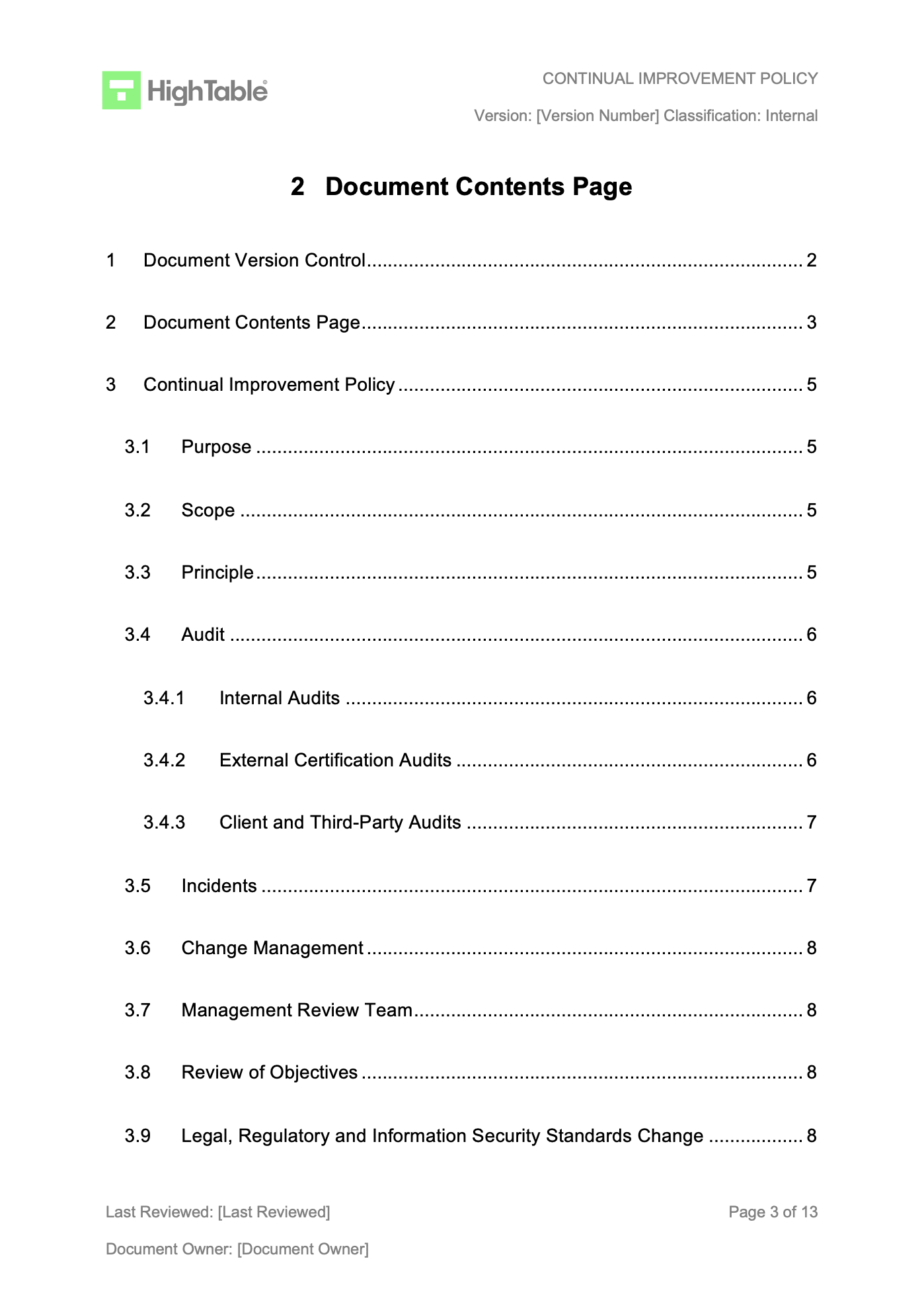
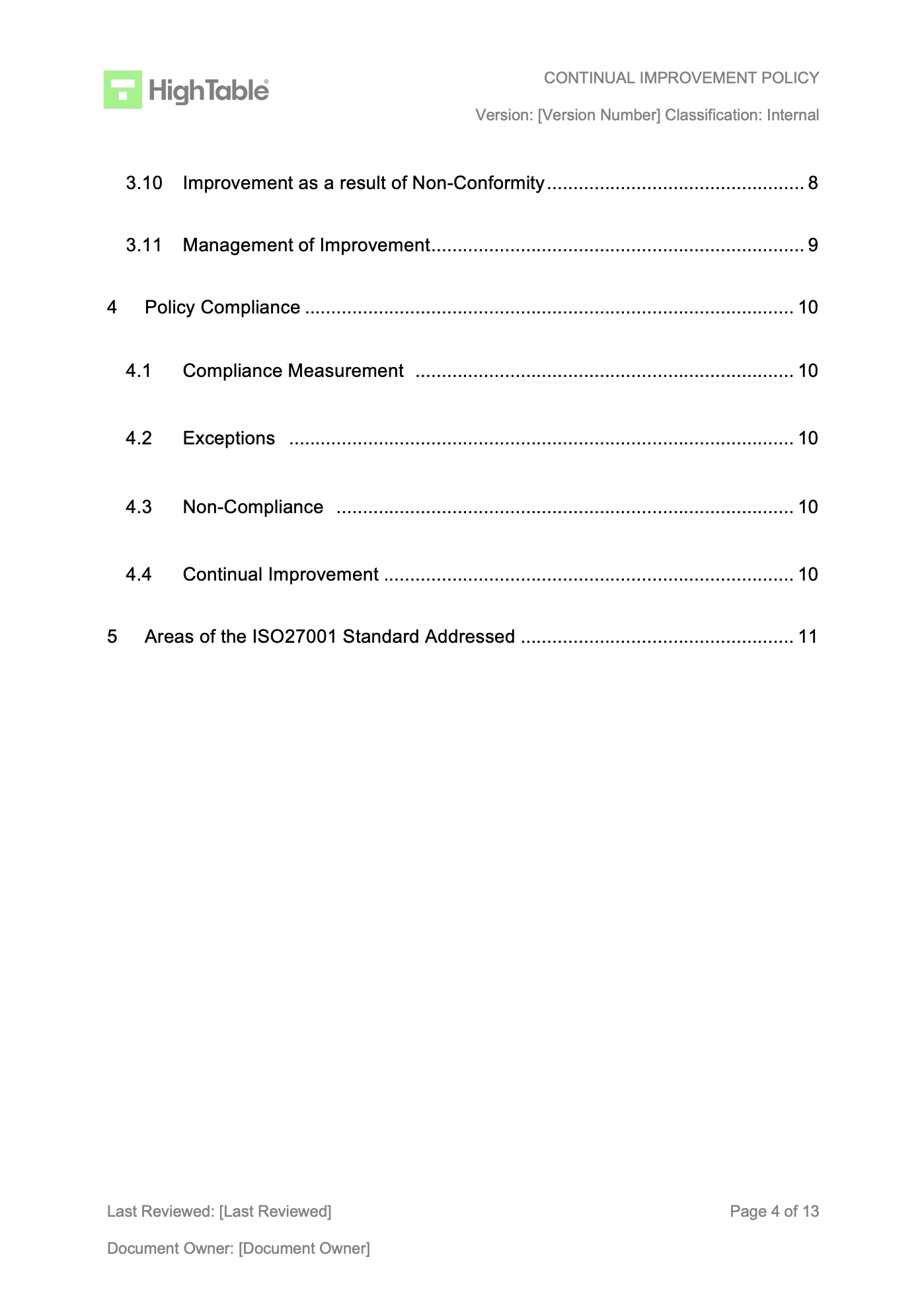
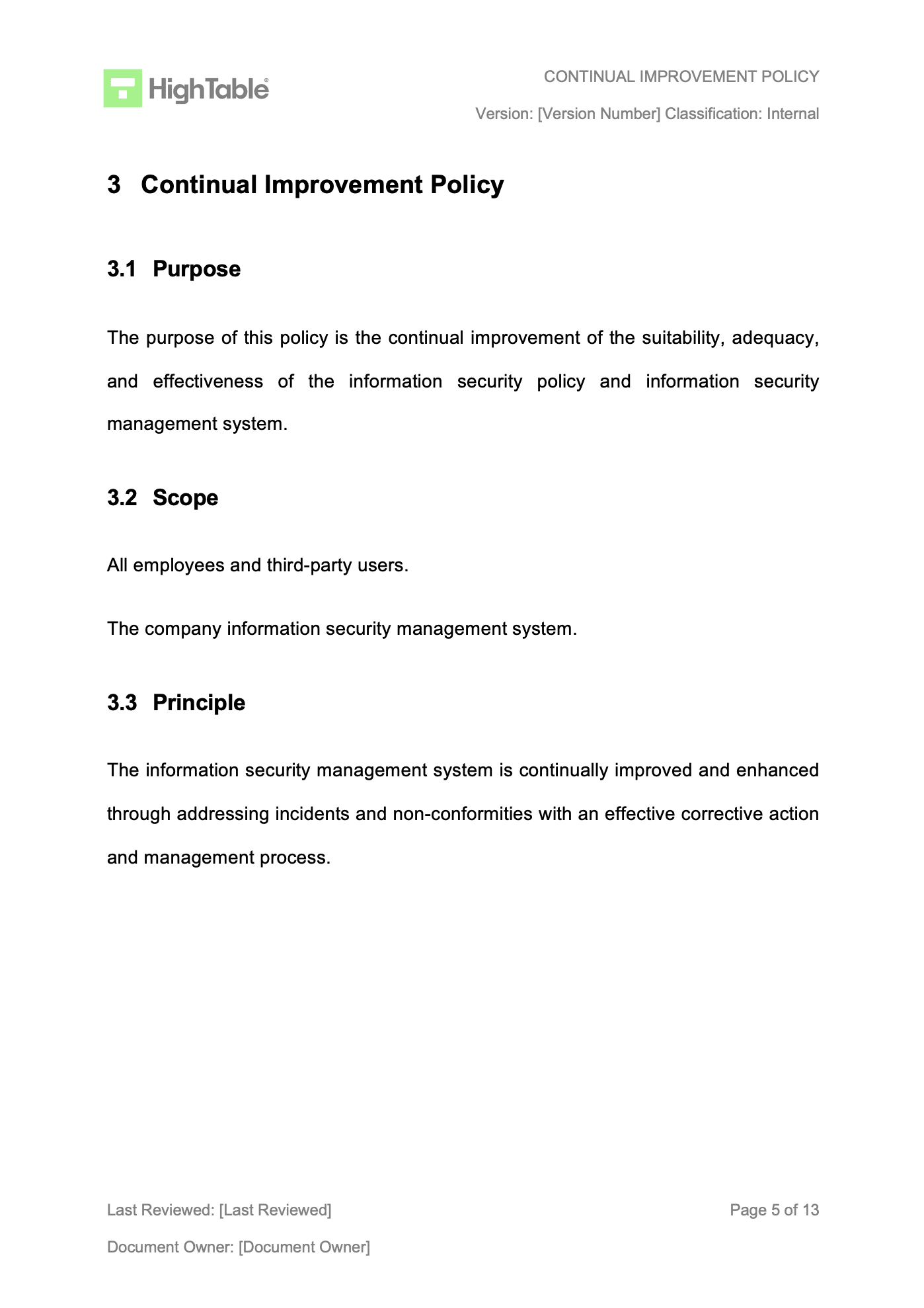
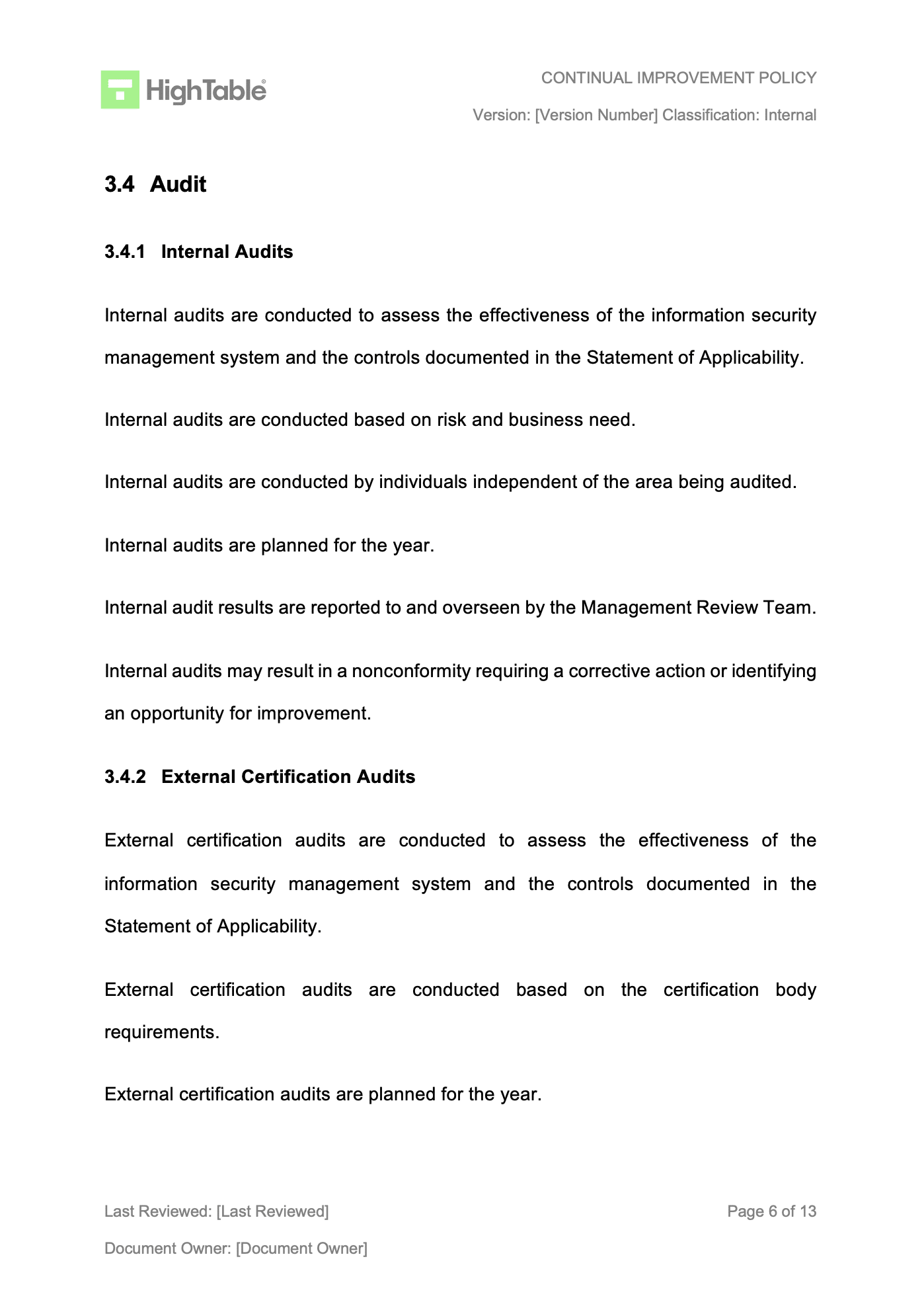
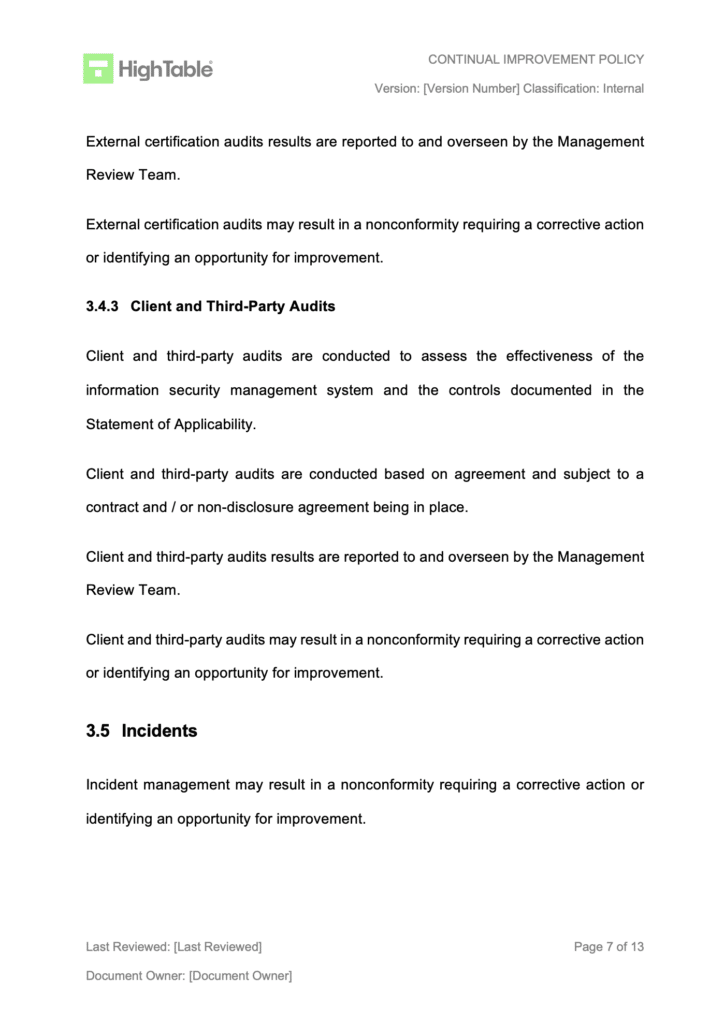
ISO 27001 Nonconformity and Corrective Action Policy Example
Let us take a look an example of an ISO 27001 Nonconformity and Corrective Action Policy. It is in fact covered in the continual improvement policy. This is a best practice example based on a real world application and use.
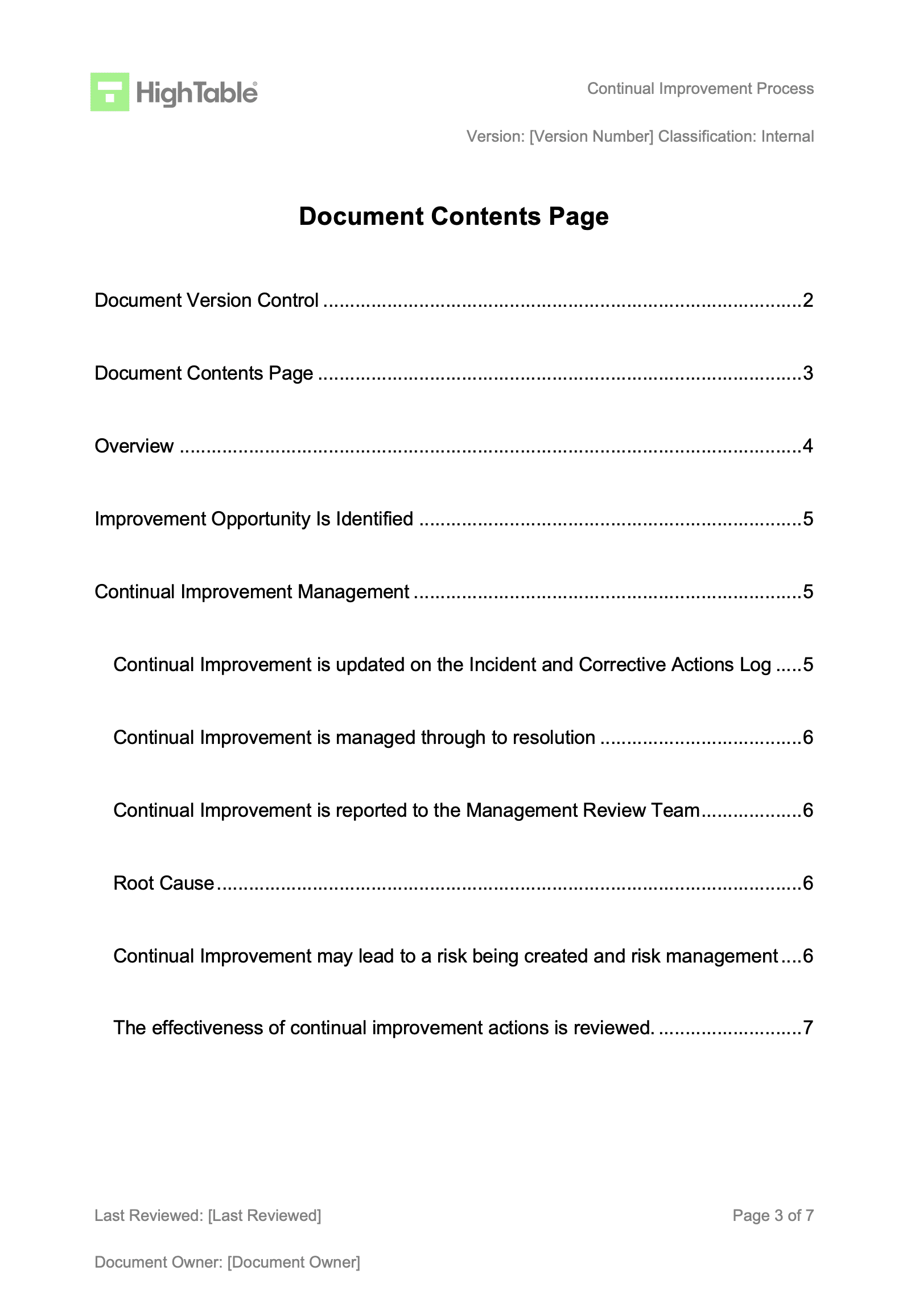
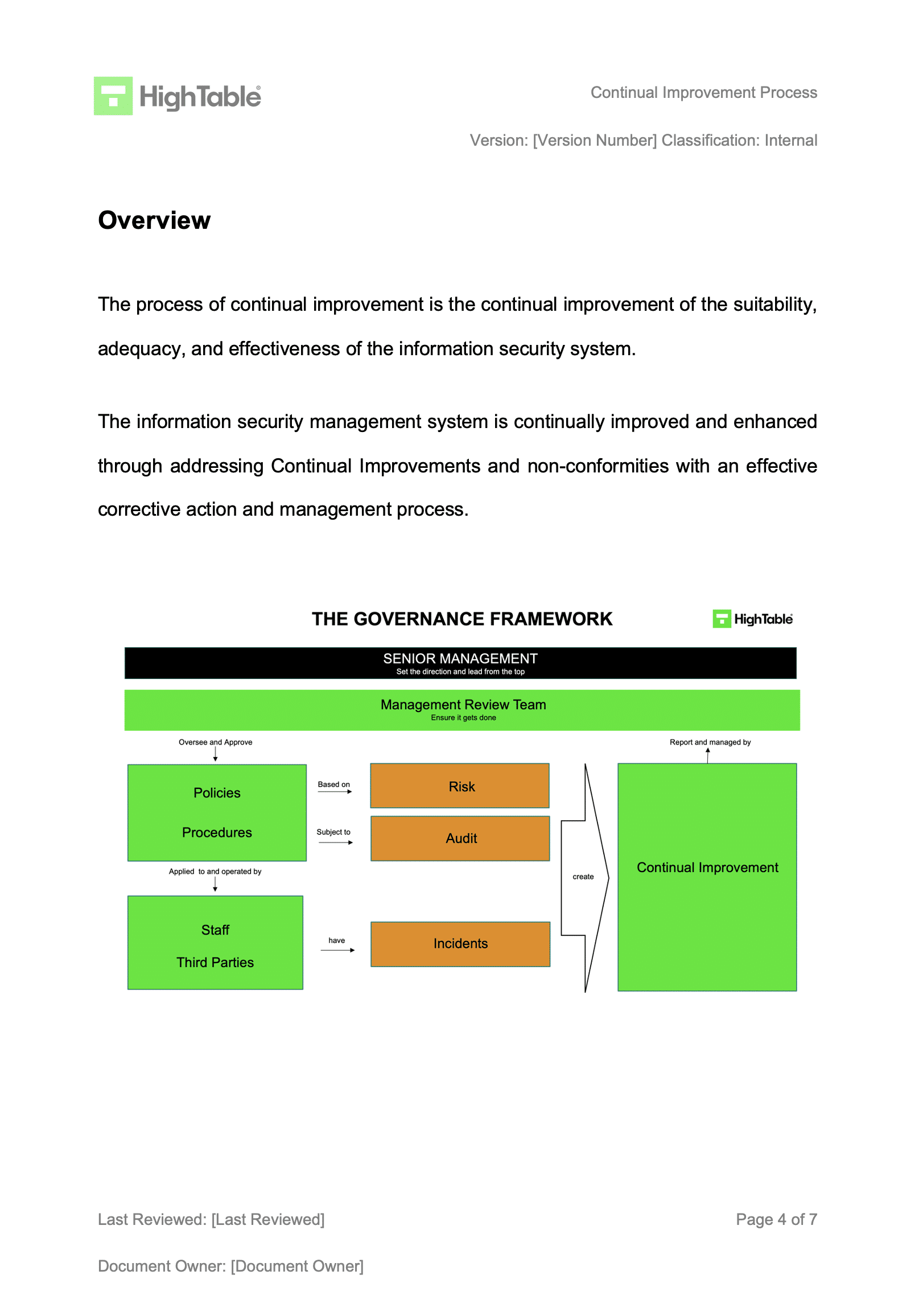
ISO 27001 Continual Improvement Process Example
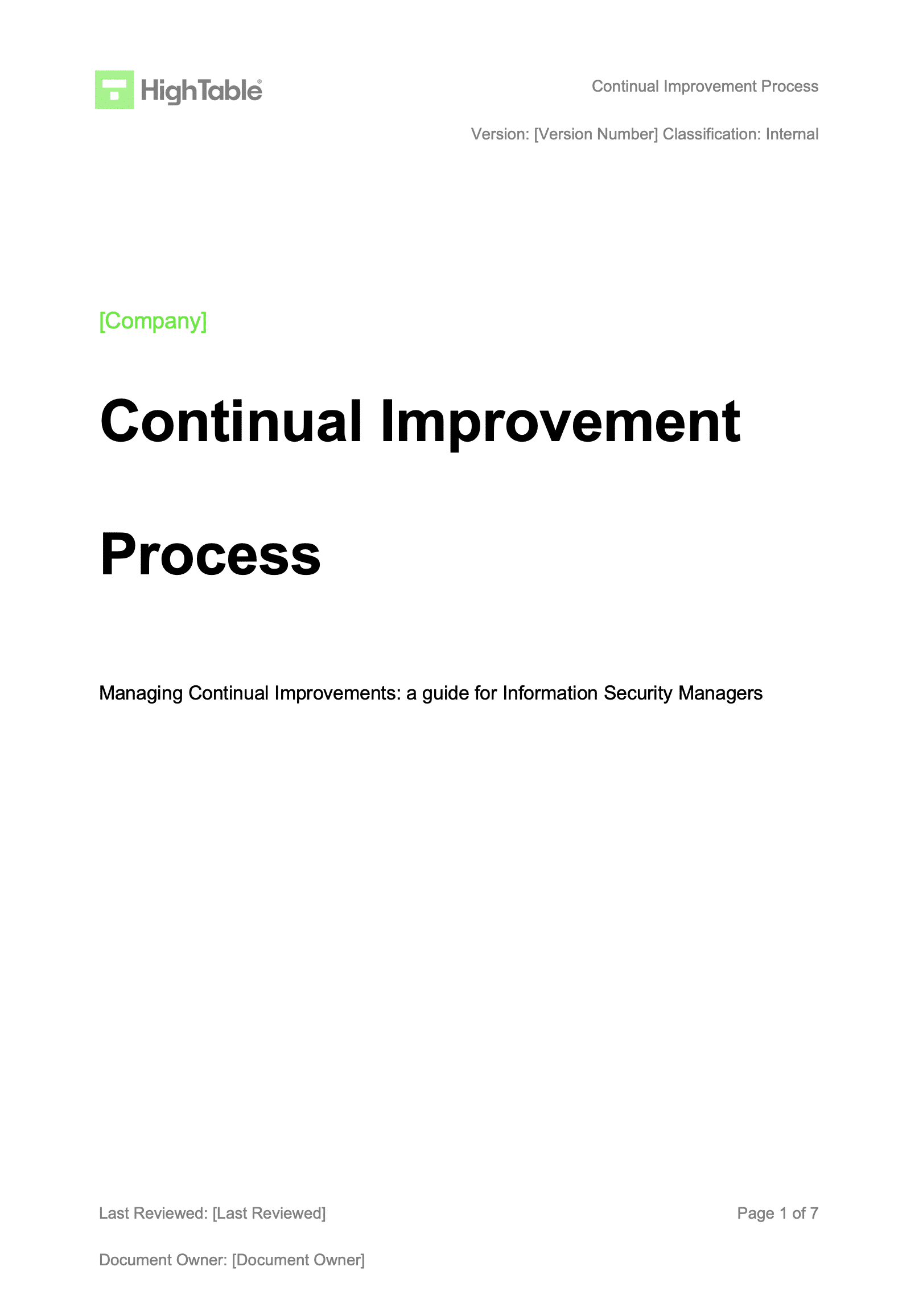
The continual improvement process is include the ISO 27001 Toolkit but to see what it should include take a look at the following example.
ISO 27001 Incident and Corrective action Log Template
The ISO 27001 Incident and Corrective action Log Template is used track and manage incidents and corrective actions effectively. This log is an essential part of the ISO 27001 continual improvement process and managing non conformities and corrective actions.
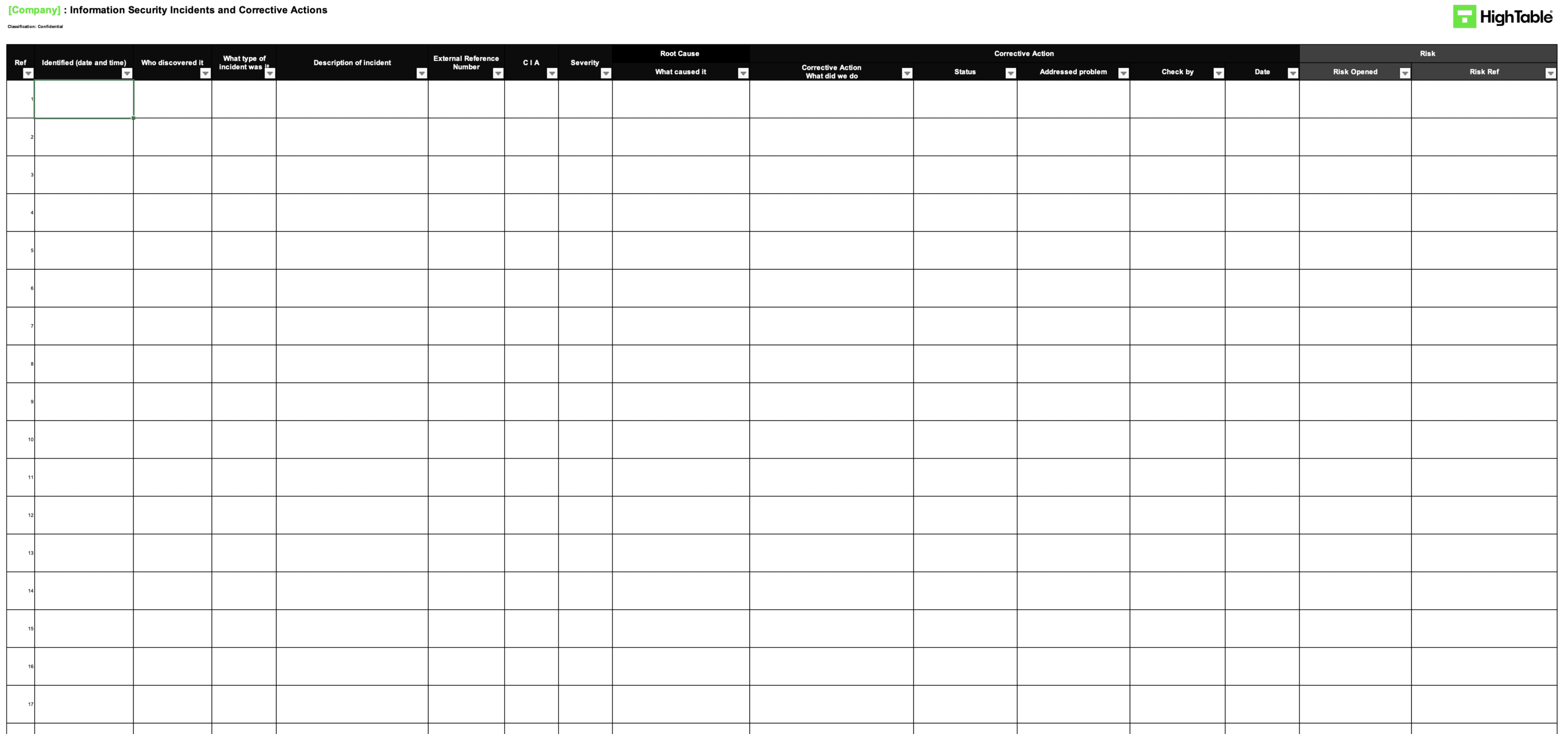
ISO 27001 Incident and Corrective action Log Example
This ISO 27001 Incident and Corrective action Log Example shows the layout of a typical ISO 27001 Incident and Corrective action Log and the required columns and data captures needs. ISO 27001 non conformities and corrective actions are recorded in this log and the log used to manage them.
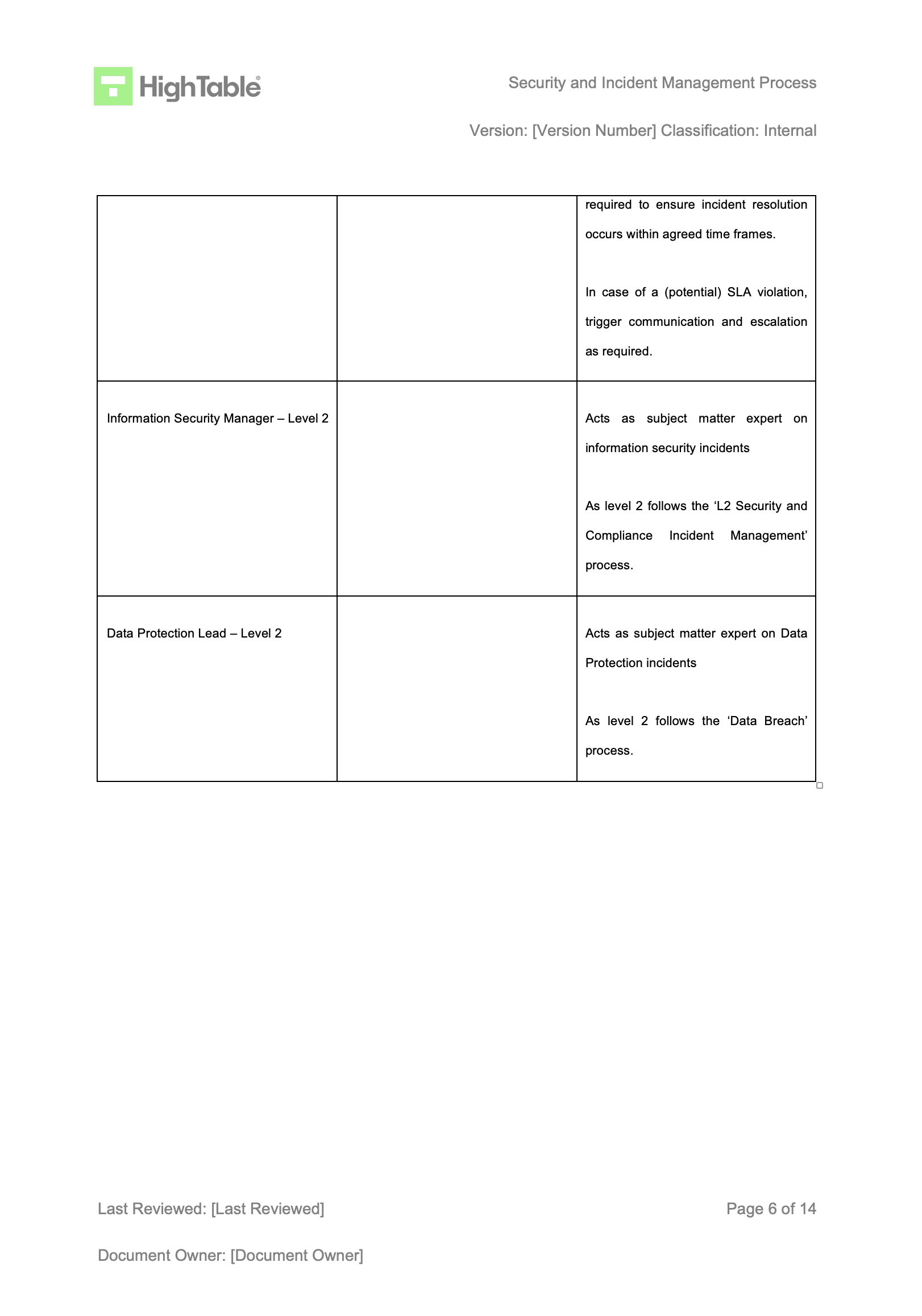
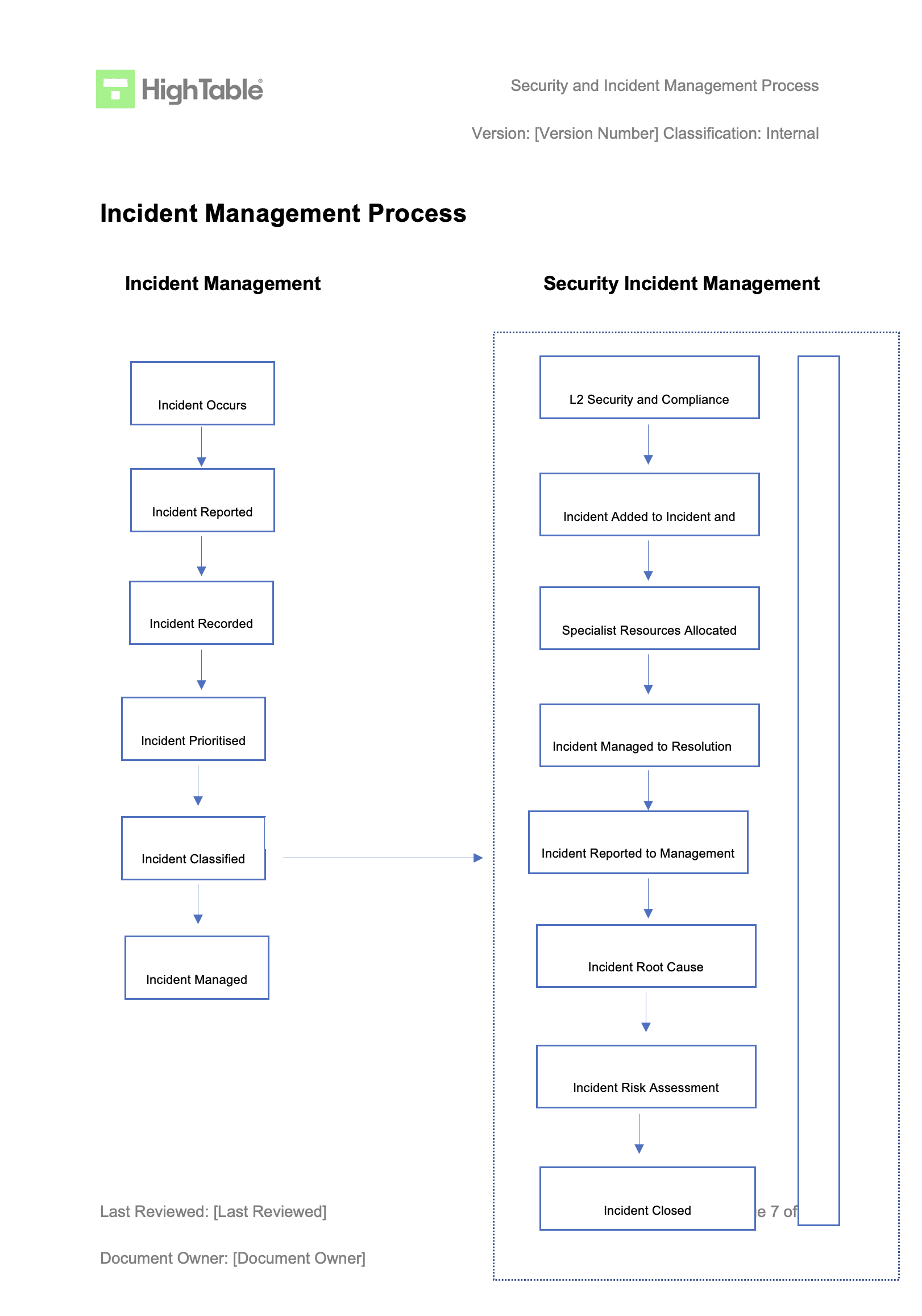
ISO 27001 Incident Management Process Example
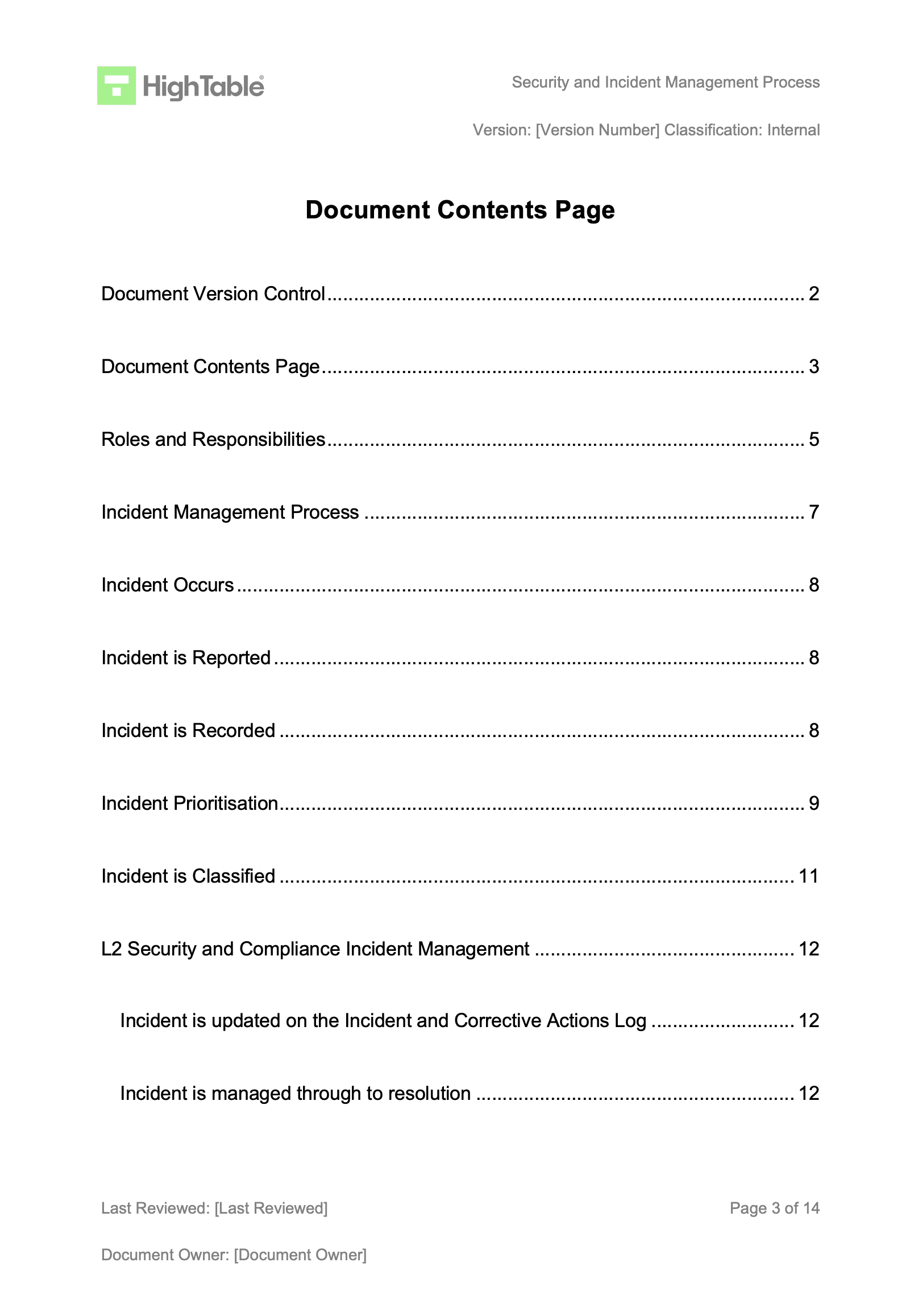
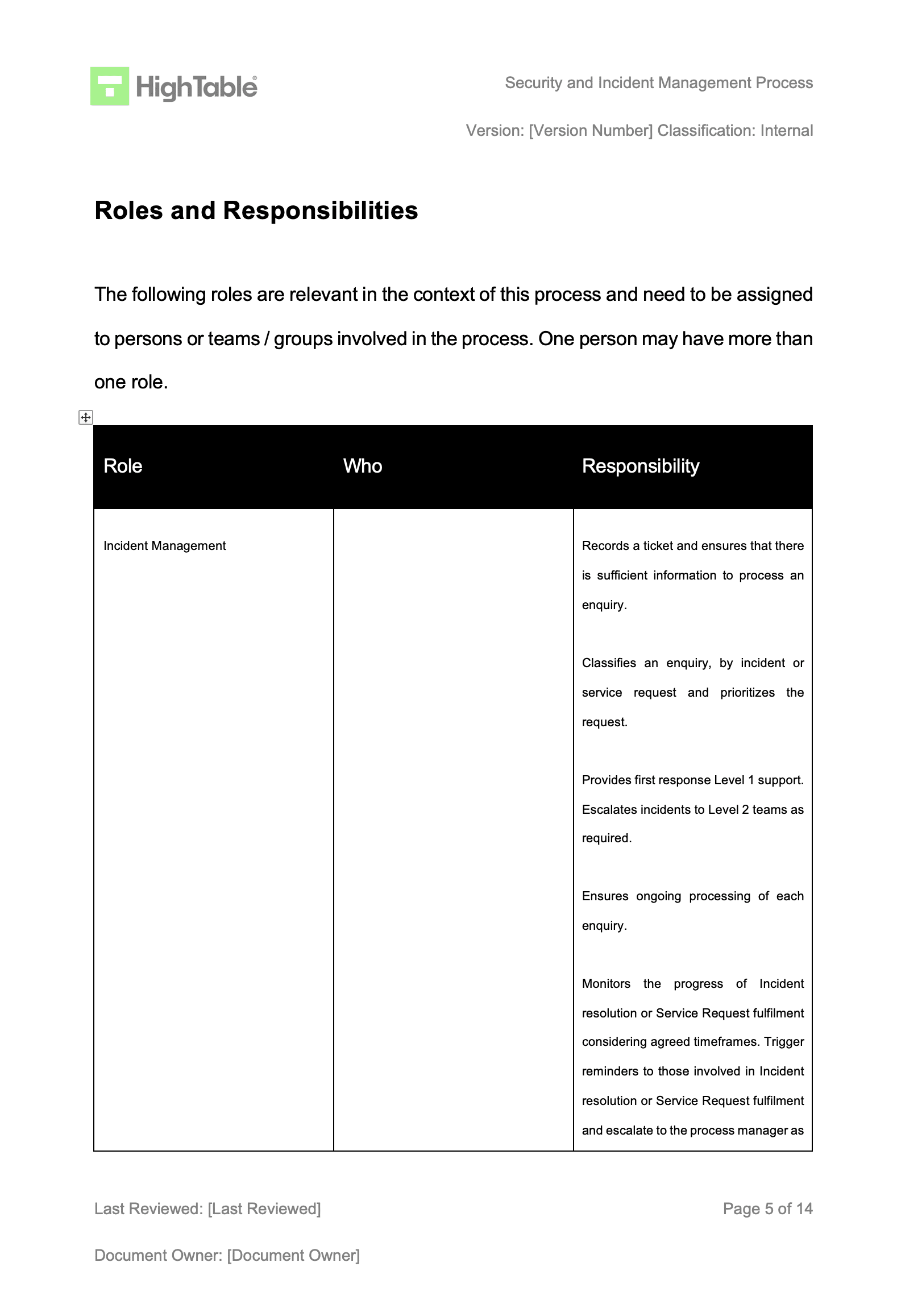
ISO 27001 non conformities and corrective actions are managed via the ISO 27001 Incident Management process. This is a standard process and the following is an example of the ISO 27001 Incident Management process. As a requirement of the ISO 27001 standard it is covered in ISO 27001 Response To Information Security Incidents: Annex A 5.26
Practical Guide: Root Cause Analysis (5 Whys Example)
Auditors often issue minor nonconformities because organisations stop their analysis at “Human Error”. To pass Clause 10.2, you must dig deeper. Root cause analysis is the process of discovering the base issue of a problem to identify appropriate solutions.
Here is a practical walkthrough of how to apply the 5 Whys technique to a common information security scenario.
| Level | The Question (The Why) | The Answer (The Finding) |
|---|---|---|
| Problem Statement | What actually happened? | A corporate laptop containing unencrypted client data was stolen from an employee’s vehicle. |
| Why 1 | Why was the laptop in the vehicle? | The employee was working from a remote location and left the device in the car during a lunch break. |
| Why 2 | Why was the data on the laptop unencrypted? | The full-disk encryption software failed to initialise during the last system update. |
| Why 3 | Why was the encryption failure not detected? | The central security dashboard does not send alerts when a device falls out of encryption compliance. |
| Why 4 | Why are there no automated alerts for compliance? | The alerting feature was never configured during the initial deployment of the MDM (Mobile Device Management) tool. |
| Why 5 (Root Cause) | Why was the tool deployment incomplete? | Root Cause: The “Build and Configuration Standard” for mobile devices lacks a verification step for automated monitoring and alerting. |
The Resulting Actions
- Correction (Immediate Fix): Remotely wipe the stolen device and revoke the employee’s active IAM sessions.
- Corrective Action (Permanent Fix): Update the Mobile Device Build Standard to include mandatory verification of MDM alerting. Perform a fleet-wide audit to ensure all existing devices are reporting compliance status correctly.
This approach demonstrates to a Lead Auditor that you are not just “fixing the laptop,” but fixing the systemic process that allowed the vulnerability to exist.
The Risk Feedback Loop: Closing the ISMS Circle
ISO 27001 is designed as a continuous cycle. When a nonconformity occurs, it serves as a real-world stress test of your initial planning. It indicates that a risk has materialised that was either not identified, was underestimated, or had ineffective controls. To satisfy a Lead Auditor, you must demonstrate a “Feedback Loop” where findings from Clause 10.2 directly trigger a review of your Risk Register (Clause 6.1). This process ensures that your “Check” and “Act” phases inform your next “Plan” phase, creating a truly dynamic Information Security Management System.
| Nonconformity Status | Impact on Risk Management (Clause 6.1) | Required Action in the Risk Register |
|---|---|---|
| New Risk Identified | A nonconformity occurred that was never previously recorded in the Risk Register. | Provision: Add the new risk to the register. Perform a formal risk assessment to determine the likelihood and impact based on the recent incident. |
| Ineffective Control | A risk was identified, but the existing control failed to prevent or detect the nonconformity. | Review: Evaluate the current control’s effectiveness score. Update the Risk Treatment Plan (RTP) to implement stronger technical or procedural safeguards. |
| Underestimated Risk | The incident impact was significantly higher than the “Impact” score previously assigned. | Recalibrate: Increase the impact or likelihood score. Re-assess whether the risk still falls within the organisation’s “Risk Appetite” or requires urgent remediation. |
| Verified Remediation | The Corrective Action has been implemented and verified as effective over time. | Update: Adjust the “Residual Risk” score downwards to reflect the improved security posture resulting from the corrective action. |
How to pass the ISO 27001 Clause 10.2 audit
You demonstrate compliance to ISO 27001 Clause 10.2 Nonconformity and Corrective Action by having effective policy and process in place and having documented evidence that those processes have operated effectively. What this means is that you need policy and process for the identifiers of nonconformities, being:
- Incident management
- Audit (both internal audit and external audit)
And you need policy and process to deal with the nonconformities being
To demonstrate evidence you will have a series of documents and records
- Incident tickets on your associated help desk systems
- Change tickets that support any changes that have been made
- The complete incident and corrective action log that is used to manage nonconformities
- Meeting minutes from the Management Review Team meetings where all of he above have been shared and minuted
What an auditor looks for
The auditor is going to check a number of areas for compliance with Clause 10.2. Lets go through them
| Audit Focus Area | The Requirement (What must be in place) | The Audit Test (What they will check) |
|---|---|---|
| 1. Incident Management | A formal process to respond to incidents and manage nonconformities through to resolution. | The auditor will review your documented process and sample recent incidents to ensure they were managed effectively according to that process. |
| 2. Internal Audit | A mechanism to proactively identify nonconformities when controls are not operating as expected. | They will examine your internal audit reports from the last 12 months to see how nonconformities were reported and what actions resulted from them. |
| 3. Corrective Action | A verified process to fix the root cause of a nonconformity so it does not recur. | They will sample corrective actions from the last 12 months and ask you to walk through the evidence, explaining how you identified the root cause and verified the fix. |
How to audit ISO 27001 Clause 10.2
Auditing ISO 27001 Clause 10.2 requires a forensic approach to evidence. As an auditor, I am not looking for promises; I am looking for proof that your organisation identifies, corrects, and prevents issues systematically. Follow this 10-step audit protocol to verify that your Nonconformity and Corrective Action process is operating effectively and meets the strict requirements of the standard.
1. Verify the Continual Improvement Policy
Request the Continual Improvement Policy. Confirm that it explicitly defines the procedure for handling nonconformities, including the requirement for root cause analysis and effectiveness review. A missing or vague policy is an immediate nonconformity against Clause 10.2(a).
- Check: Ensure the document is version-controlled and approved by top management.
- Question: “Show me the policy that governs how you handle security failures.”
2. Inspect the Incident and Corrective Action Log
Ask to see the Incident and Corrective Action Log. Scan the register for completeness. Are there empty fields? Are dates missing? An effective log must capture the description, immediate correction, root cause, corrective action, owner, and verification status for every entry.
- Red Flag: A log with zero entries suggesting “perfect security” is suspicious and often indicates a failure in reporting culture.
- Requirement: Clause 10.2(f) requires documented information as evidence.
3. Trace Incidents from Source to Log
Perform a “traceability test.” Select a sample of high-severity tickets from the Service Desk (e.g., Jira, ServiceNow) or the Data Breach Register. Verify that these specific incidents have been correctly transposed into the Corrective Action Log for formal management.
- Test: Pick 3 “Critical” incidents from the last 6 months. Are they in the formal log?
- Objective: Ensure the operational incident process is linked to the strategic ISMS process.
4. Verify Immediate Containment (Correction)
For a sample of open or closed nonconformities, check the “Correction” column. Did the organisation take immediate steps to control the situation? Evidence might include firewall logs blocking an IP, a screenshot of a disabled account, or a restore log from a backup.
- Distinction: Ensure the auditee understands the difference between “Correction” (fixing the leak) and “Corrective Action” (fixing the pipe).
5. Evaluate the Root Cause Analysis (RCA)
This is where most audits fail. Review the documented root cause for major nonconformities. Does it stop at “Human Error” or “System Failure”? These are symptoms, not causes. Look for evidence of a structured method like 5 Whys or Fishbone Diagrams.
- Standard: Clause 10.2(b)(2) explicitly requires you to “determine the causes.”
- Challenge: If the root cause is weak, the corrective action will likely fail.
6. Assess Corrective Action Planning
Review the planned actions. Are they SMART (Specific, Measurable, Achievable, Relevant, Time-bound)? Ensure every corrective action has a named Owner and a hard Deadline. Vague statements like “improve training” without a date are not acceptable.
- Check: Is the action proportionate to the risk? (Clause 10.2(c))
7. Cross-Reference Change Management
If a corrective action required a change to a system (e.g., “Disable USB ports via GPO”), ask to see the corresponding Change Request Ticket. Verify that the change was tested and authorised according to Annex A 8.32 (Change Management).
- Evidence: The corrective action log entry should reference a Change Ticket ID.
8. Validate Verification of Effectiveness
Look at closed nonconformities. How did the organisation prove the fix worked? Look for evidence of re-testing, such as a clean vulnerability scan, a successful restore test, or a follow-up audit report. Simply “closing the ticket” is not verification.
- Requirement: Clause 10.2(d) requires you to “review the effectiveness of any corrective action taken.”
- Fail: If the verification date is the same as the implementation date, challenge it. Effectiveness usually takes time to prove.
9. Review Management Review Minutes
Request the minutes from the last Management Review Meeting. Search for the section on “Nonconformities and Corrective Actions.” Confirm that top management discussed the status of open actions and approved any resource requests required for remediation.
- Link: This connects Clause 10.2 compliance to Clause 9.3 (Management Review).
10. Interview Staff on Reporting Procedures
Finally, pick a random staff member (not the Information Security Manager). Ask them: “If you found a security policy breach today, what would you do?” They should be able to articulate the reporting process (e.g., “Email the helpdesk” or “Log a ticket”).
- Goal: Verify that the mechanism for identifying nonconformities is known across the organisation.
ISO 27001 Clause 10.2 Audit Checklist
| Ref | Audit Objective (What to Verify) | Audit Technique (Test & Evidence) |
|---|---|---|
| 1 | Verify Governance Framework Confirm a documented procedure exists for identifying and managing nonconformities. | Inspection: Review the Continual Improvement Policy. Confirm it mandates reporting channels, Root Cause Analysis (RCA), and effectiveness reviews. |
| 2 | Verify Record Keeping Ensure all nonconformities are centrally recorded with required metadata (Clause 10.2(f)). | Inspection: Review the Incident and Corrective Action Log. Check for mandatory fields: Description, Containment, Root Cause, Action Owner, Due Date, and Verification Status. |
| 3 | Verify Reporting Completeness Ensure operational incidents are escalating to the strategic ISMS log. | Re-performance (Traceability): Select 3 “Major” or “Critical” tickets from the IT Service Desk (e.g., Jira/ServiceNow). Trace them to specific entries in the Corrective Action Log. |
| 4 | Verify Immediate Containment Confirm immediate action was taken to control the nonconformity (Clause 10.2(a)). | Observation: For a recent nonconformity, inspect technical evidence (firewall logs, account disabled screenshots, patch logs) proving the immediate “Correction” was executed. |
| 5 | Verify Root Cause Analysis Confirm the organisation identifies why the issue occurred, not just what happened (Clause 10.2(b)). | Inquiry & Inspection: Challenge the “Root Cause” column. If it says “Human Error,” mark as non-compliant. Look for 5 Whys or Fishbone analysis evidence. |
| 6 | Verify Action Planning Ensure corrective actions are assigned and time-bound (Clause 10.2(c)). | Inspection: Check open items in the log. Does every action have a named Owner and a specific Deadline? verify resources are available. |
| 7 | Verify Safe Implementation Ensure corrective actions do not introduce new risks. | Inspection (Cross-Reference): If the corrective action required a system change, locate the corresponding Change Request Ticket (Annex A 8.32) to verify testing and approval. |
| 8 | Verify Effectiveness Confirm the corrective action actually prevented recurrence (Clause 10.2(d)). | Inspection: Review “Closed” items. Ensure the Verification Date is at least 30-90 days after implementation. Look for re-test reports or clean audit scans as proof. |
| 9 | Verify Management Oversight Ensure top management is aware of nonconformity trends (Clause 9.3). | Inspection: Review Management Review Meeting Minutes. Confirm a specific agenda item covering “Nonconformities and Corrective Actions” with recorded decisions. |
| 10 | Verify Staff Awareness Confirm staff know how to report nonconformities. | Inquiry (Interview): Ask 3 random employees: “If you found a security policy violation right now, exactly how would you report it?” Verify their answer matches the policy. |
Fast Track ISO 27001 Clause 10.2 Compliance with the ISO 27001 Toolkit
For ISO 27001 Clause 10.2 (Nonconformity and corrective action), the requirement is to react to nonconformities, evaluate the need for action to eliminate their causes (root cause analysis), and review the effectiveness of any corrective actions taken. This is a mandatory clause that ensures you handle deviations, like a failed audit or a security policy breach, systematically so they don’t recur.
While SaaS compliance platforms often try to sell you “automated nonconformity tracking” or complex “remediation dashboards,” they cannot actually conduct a “5 Whys” root cause analysis for you or decide if a “Major Nonconformity” requires a fundamental shift in your organisational structure, those are human governance and strategic tasks. The High Table ISO 27001 Toolkit is the logical choice because it provides the corrective action framework you need without a recurring subscription fee.
| Strategic Area | SaaS Compliance Platform (The “Rent” Model) | High Table Toolkit (The “Own” Model) |
|---|---|---|
| Ownership & Evidence | Rented History: You define corrective actions inside proprietary systems. If you leave, you lose your nonconformity logs and recovery history. | Permanent Asset: You receive fully editable Word/Excel Incident and Corrective Action Logs. You own your data and definitions forever without ongoing fees. |
| Simplicity & Governance | Complex Automation: Automated dashboards cannot perform human tasks like “5 Whys” Root Cause Analysis or determine if a nonconformity is Major or Minor. | Proven Governance: Provides the “Governance Layer” to formalise your existing problem-solving into auditor-ready evidence, without forcing teams to learn new software. |
| Cost Implications | Scaling Tax: Costs often increase based on users, remediation workflows, or tasks. You pay a recurring premium every time a nonconformity occurs. | One-Off Investment: A single fee covers the entire framework. Whether you have 2 or 20 nonconformities, the cost of your documentation remains flat. |
| Operational Freedom | Vendor Lock-In: Mandates rigid reporting structures that may not fit your agile workflows or specific industry requirements. | Technology Agnostic: 100% flexible templates that adapt to your specific steering committee or team approach, ensuring the ISMS evolves with you. |
Top 3 ISO 27001 Clause 10.2 Mistakes and How to Fix Them
In my experience, the top 3 mistakes people make for ISO 27001 Nonconformity and Corrective Action are:
| The Mistake | Why it Fails the Audit (The Risk) | How to Fix It (The Auditor’s Solution) |
|---|---|---|
| 1. Lack of Independent Internal Audits (Marking your own homework) | Conflict of Interest: ISO 27001 Clause 9.2 requires auditors to be impartial. If the person who implemented a control also audits it, they lack the objectivity to identify nonconformities accurately, rendering the audit invalid. | Segregate Duties: Ensure the auditor is independent of the activity being audited. Swap teams (e.g., HR audits IT, IT audits HR) or hire an external ISO 27001 Consultant to conduct the audit objectively. |
| 2. Missing or Informal Documentation (Fixing without logging) | No Evidence Trail: Clause 10.2(f) explicitly mandates documented information as evidence. If you fix a security breach via Slack or email without formally recording the root cause and resolution, it does not exist in the eyes of the auditor. | Implement a Log: Deploy a formal Incident and Corrective Action Log. Record every nonconformity, the immediate correction, the root cause analysis (e.g., 5 Whys), and the final corrective action in one central register. |
| 3. Process vs. Reality Gap (Not following your own rules) | Operational Failure: A common major nonconformity occurs when your documented policy states one thing (e.g., “Reviews happen monthly”) but reality shows another (e.g., logs are empty). This proves the ISMS is not operating as intended. | “Say What You Do, Do What You Say”: Review your Corrective Action Procedure. If it’s too complex, simplify the document to match your actual workflow. Ensure every closed ticket has a timestamped verification of effectiveness to prove the fix worked. |
ISO 27001 Clause 10.2 Applicability Across Different Business Models
| Business Type | Applicability of Clause 10.2 | Why It Is Important | Clause 10.2 Nonconformity Examples |
|---|---|---|---|
| Small Businesses | Simplified Governance: Small teams often handle issues informally. Clause 10.2 requires moving from “fix it via email” to a formal Incident Log. You don’t need complex software; a spreadsheet is sufficient, provided it captures the Root Cause and Verification. | Resource Efficiency: Small businesses have limited resources. Identifying the root cause (e.g., lack of training) prevents the same issue from wasting time repeatedly. It proves to auditors you are “in control” despite a small headcount. |
|
| Tech Startups | Agile Integration: Nonconformities often arise from rapid deployment (“Move fast and break things”). Clause 10.2 must integrate with tools like Jira or Linear. A “bug” affecting security (e.g., exposed API key) is a nonconformity that requires formal RCA. | Maturity for Investors: Investors and Enterprise clients need assurance that your speed doesn’t compromise security. Demonstrating a robust Corrective Action process shows operational maturity and a “self-healing” DevOps culture. |
|
| AI Companies | Data & Model Integrity: Nonconformities here are high-risk, often involving data privacy (training sets) or model bias. Clause 10.2 requires rigorous investigation into data supply chains and algorithmic logging when deviations occur. | Trust & Compliance: With regulations like the EU AI Act, a nonconformity in data handling can be existential. You must prove that if a model hallucinates PII or leaks training data, you have a forensic process to fix the process, not just the specific output. |
|
The Cultural Gap: Building a No-Blame Reporting Culture
A common mistake in ISMS implementation is focusing solely on the technical log while ignoring the human reporting culture. ISO 27001 Clause 10.2 isn’t just about fixing broken servers; it’s about creating a “Self-Healing System.” That system fails the moment your employees become afraid to speak up.
The Lead Auditor’s Secret: If I see an Incident Log that is 100% empty, or 100% “IT Department errors,” I immediately know you have a culture problem. An empty log doesn’t mean you are secure; it means your staff is hiding mistakes to avoid trouble.
Psychological Safety & The “No-Blame” Culture
To achieve a gold-standard certification, you must move from a punitive mindset to an improvement mindset. This requires establishing Psychological Safety: the belief that one will not be punished or humiliated for speaking up with ideas, questions, concerns, or mistakes.
- Remove the Fear: Your Continual Improvement Policy should explicitly state that reporting a nonconformity will not lead to disciplinary action, provided there was no malicious intent.
- Celebrate the “Find”: Treat a discovered nonconformity as a “free lesson.” It is far cheaper to identify a gap during an internal review than to have it exploited during a ransomware event.
- Cross-Departmental Ownership: High-maturity organisations see nonconformities reported from HR, Sales, and Operations, not just IT. If Marketing reports an accidental data share, your ISMS is working.
Auditor Tip: The “Silo” Test
As a Lead Auditor, I look for evidence that non-IT departments are logging issues. If the log is only filled with “Patching Failures” and “Server Reboots,” your reporting culture is likely siloed. During an audit, I will often interview a member of the Sales team and ask: “If you saw a colleague leaving their password on a post-it note, what would you do?” Their answer tells me more about your true Clause 10.2 compliance than your spreadsheet ever could.
Correction vs. Cultural Root Cause Analysis
When a cultural nonconformity is identified (e.g., a staff member bypassing a security control to “save time”), your Root Cause Analysis must look at the incentive structure rather than the individual.
| Scenario | The Symptom (The “Blame”) | The Root Cause (The “No-Blame” Fix) |
|---|---|---|
| Employee bypassed MFA. | “The user was being lazy.” | The current MFA process is too slow and triggers 10 times a day, hindering productivity. Fix: Implement SSO with Conditional Access to reduce friction. |
| HR failed to vet a new hire. | “The HR manager forgot.” | The onboarding policy is 50 pages of text with no simple checklist. Fix: Create a mandatory 5-point checklist automated within the HRIS. |
| Unsecured laptop in a car. | “Employee was careless.” | The “Remote Work” policy doesn’t define physical security expectations for transit. Fix: Update policy and provide “Privacy by Design” training for field staff. |
The Horizontal Gap: Implementing “Look-Alike” Analysis
A major failure point in ISO 27001 compliance is the “Siloed Fix.” Many organisations identify a problem in one department, fix it, and move on. However, Clause 10.2(b)(3) explicitly requires you to determine if “similar nonconformities exist, or could potentially occur.” To achieve the 110% gold standard, you must implement what we call Look-Alike Analysis.
The Proactive Shield: If a server fails to patch in your London office, a reactive organisation just patches that server. A gold-standard organisation assumes the failure is systemic and immediately audits their servers in New York and Tokyo for the same vulnerability, even if those servers haven’t reported an error yet.
How to Perform Look-Alike Analysis
To satisfy a Lead Auditor that you are looking “horizontally” across your business, your Corrective Action process should include these three steps:
- Scope Expansion: When a nonconformity is found, ask: “Where else do we use this same process, technology, or vendor?”
- Verification of Twins: Audit the “twin” processes. If HR in the UK missed a background check, check the HR files in your US and EU branches.
- Systemic Immunisation: Apply the corrective action across all identical environments simultaneously to prevent the “same fire” from breaking out in a different building.
Look-Alike Analysis in Action
Use the following table to understand how to move from a reactive “fix” to a proactive “horizontal” shield.
| Original Nonconformity | The Reactive Fix (Correction) | The Look-Alike Analysis (Proactive) |
|---|---|---|
| Software developer hardcoded an API key in “Project A.” | Rotate the key and move it to a secret manager. | Scan all repositories (Project B, C, and D) for hardcoded secrets. Implement a pre-commit hook across the entire engineering org. |
| A specific SaaS vendor had a data breach. | Assess the impact on the data held by that vendor. | Review all “Tier 1” vendors for similar security postures. Update the Vendor Risk Management policy to require SOC2 reports for all similar services. |
| Office in Leeds found with an unlocked server room. | Lock the door and retrain the local manager. | Conduct a spot-check of all physical locations (London, New York, Singapore) to verify server room access controls are functional. |
The “Interested Parties” Gap: Integrating External Nonconformities
Most organisations restrict their Clause 10.2 activities to internal audit findings or obvious system crashes. To reach the 110% gold standard, you must broaden your horizon to include External Nonconformities. This aligns your corrective action process with Clause 4.2 (Understanding the Needs of Interested Parties).
Lead Auditor Insight: Your ISMS shouldn’t exist in a vacuum. If a third-party penetration tester finds a high-risk vulnerability, or a major client audit identifies a gap in your encryption standards, those are formal nonconformities. If I don’t see these external “shocks” reflected in your Corrective Action Log, it tells me your ISMS is disconnected from reality.
Sources of External Nonconformities
A high-maturity ISMS treats the following external events as formal triggers for the Clause 10.2 process:
- Client Audits: Any “Needs Improvement” or “Fail” findings from customer security assessments.
- Third-Party Pentests: Vulnerabilities identified during scheduled security testing.
- Supplier Failures: When a critical vendor (e.g., AWS, Azure, or a SaaS partner) suffers a breach or fails a service level agreement (SLA) related to security.
- Regulatory Changes: A notification from a body like the ICO or a change in law that renders your current process non-compliant.
- Customer Complaints: Security-related feedback from users regarding data privacy or access issues.
The External-to-Internal Workflow
To pass a gold-standard audit, your process should demonstrate how external signals are “ingested” into your governance framework:
| External Trigger | Standard Reaction | Gold-Standard Corrective Action (Clause 10.2) |
|---|---|---|
| Third-Party Pentest finding: “Weak SSL Ciphers.” | Apply the patch on the specific server tested. | Log as a Nonconformity. Perform Look-Alike Analysis across all web-facing assets. Update the “Hardening Standard” to prevent future weak cipher deployments. |
| Client Audit finding: “Employee background checks are inconsistent.” | Fix the specific employee records the client found. | Log as a Nonconformity. Review the HR onboarding process. Implement a “Gatekeeper” control where IT access cannot be provisioned until HR confirms background check completion. |
| Critical Vendor breach notification. | Assess the impact on your data. | Log as a Nonconformity in your Supply Chain Control. Evaluate if the vendor’s RCA is sufficient. If not, trigger a review of your “Supplier Risk Management” policy. |
The Metrics Gap: Measuring Corrective Action Health
How do you prove to a Lead Auditor (or your Board) that your ISMS is actually getting better? Most organisations can show a list of fixed issues, but the 110% gold standard requires you to measure the efficiency and quality of your problem-solving process. This aligns with Clause 9.1 (Monitoring, Measurement, Analysis, and Evaluation).
Auditor Perspective: If you show me a log of 50 nonconformities, I don’t see a failing system, I see a system that is talking to you. However, if those 50 items have been “Open” for nine months, your management system is broken. You need data to prove your ISMS is responsive.
Essential Corrective Action KPIs
To demonstrate a high-maturity ISMS, you should track these four key metrics:
- Mean Time to Closure (MTTC): The average number of days it takes from identifying a nonconformity to verifying the fix.
- Recurrence Rate: The percentage of new nonconformities that are identical or similar to ones “fixed” in the last 12 months.
- Reporting Volume vs. Severity: The ratio of “Minor” vs. “Major” findings.
- Verification Success Rate: What percentage of corrective actions fail their “Effectiveness Review”?
Measuring Process Maturity
Use this table to evaluate if your Clause 10.2 process is “Compliant” or “Gold Standard.”
| Metric | Basic Compliance (Pass) | Gold Standard (110%) |
|---|---|---|
| Documentation | Issues are recorded in a log. | Log is linked to a live dashboard showing MTTC and aging tickets. |
| Analysis | We know what happened. | We track Root Cause Trends (e.g., “60% of NCs are caused by ‘Resource Constraints'”). |
| Management Review | Management looks at a list of issues. | Management reviews Trend Data to decide where to invest budget/headcount for next year. |
The “Lifecycle” Gap: Visualising the Nonconformity Flow
A static table is helpful, but in a complex or large organisation, Clause 10.2 requires a clear Status Lifecycle. Without defined stages, nonconformities often get stuck in “limbo,” or worse, they are marked as “Closed” before anyone has actually verified that the fix worked. To reach the 110% gold standard, you must manage the lifecycle of a nonconformity like a professional ticket system.
Auditor Warning: One of the most common findings I issue is for nonconformities marked as “Closed” on the same day they were “Identified.” This is impossible for a true corrective action. It proves the organisation only performed a Correction (triage) and skipped the Corrective Action (root cause removal) and Verification phases.
The 7 Stages of Nonconformity Maturity
To ensure no issue falls through the cracks, adopt this formal status workflow in your Incident and Corrective Action Log:
- 1. Identified: The gap is spotted (via audit, incident, or external report) and recorded in the log.
- 2. Contained: Immediate action is taken to stop the “bleeding” (Correction). The threat is neutralised, but the cause remains.
- 3. RCA in Progress: A team is actively digging into the 5 Whys to find the systemic failure.
- 4. Action Planned: The permanent fix is designed, an Owner is assigned, and a Deadline is set.
- 5. Implementing: The technical or procedural changes are being rolled out across the organisation.
- 6. Awaiting Verification: The fix is live, but we are waiting for a set period (e.g., 90 days) or a re-test to prove it is effective.
- 7. Closed: Evidence of effectiveness has been reviewed and signed off by the ISMS Manager or Internal Auditor.
Lifecycle Responsibilities
In a high-maturity ISMS, the person who finds the problem is rarely the person who verifies the fix. This separation of duties is what auditors love to see.
| Status Stage | Primary Responsibility | Required Evidence for Auditor |
|---|---|---|
| Contained | Technical Lead / First Responder | Timestamped logs or screenshots of the immediate fix. |
| Action Planned | Process Owner (e.g., HR Manager / IT Head) | A formal entry in the Management Review minutes. |
| Awaiting Verification | Internal Auditor / Compliance Officer | A scheduled “Follow-up Audit” date in the calendar. |
| Closed | ISMS Steering Committee | Verification report proving the nonconformity has not recurred. |
The “Human-Error” Trap: A Gold-Standard Root Cause Taxonomy
The most common phrase in failed ISO 27001 audits is “Human Error.” While it may be true that a person made a mistake, a Lead Auditor does not accept “human error” as a root cause. It is merely a symptom. To achieve 110% coverage and professional-grade Root Cause Analysis (RCA), you must look past the person and identify the Taxonomy of Failure.
The Auditor’s Challenge: If you tell me the cause was ‘Human Error’ and your solution is ‘Retrain the staff,’ I will likely issue a finding. Why? Because people will always make mistakes. A true corrective action changes the system so that the mistake becomes impossible or is automatically caught.
The 4 Tiers of Root Cause
When completing your Incident and Corrective Action Log, replace the generic “human error” with one of these four specific categories. This demonstrates to auditors that you understand Clause 10.2(b)(2) at a lead-auditor level.
- 1. Systemic / Design: The process itself was designed poorly.
- 2. Resource / Constraint: The individual did not have the correct tools, sufficient budget, or enough time to perform the task securely.
- 3. Knowledge / Skill: The person was never taught how to perform the task, or the training provided was ineffective.
- 4. Environmental: External factors influenced the mistake.
Taxonomy in Practice: Moving Beyond the Blame
Use this table to translate typical “staff mistakes” into audit-ready Root Cause categories.
| Observed Incident | The “Lazy” RCA | The Gold-Standard Taxonomy | Corrective Action Focus |
|---|---|---|---|
| Employee forgot to lock their screen. | Human Error | Systemic / Design | Implement a GPO to auto-lock screens after 5 minutes of inactivity. |
| Admin shared a password via Slack. | Staff Carelessness | Resource / Constraint | The company has not provided a Password Manager for team sharing. Fix: Roll out Bitwarden/1Password. |
| Developer exposed an S3 bucket. | Technical Error | Environmental / UI | The Cloud Console’s “Public” warning is easily missed. Fix: Implement automated “Bucket Policy” alerts. |
The “Big Picture” Gap: Interaction with Clause 6.2 (ISMS Objectives)
A common pitfall is treating Clause 10.2 as a purely operational “fixing” tool. To achieve the 110% gold standard, you must demonstrate the Strategic Feedback Loop. If your organisation is consistently logging nonconformities in a specific domain, it is no longer just a “process failure”, it is a signal that your Information Security Objectives (Clause 6.2) or your Resource Allocation (Clause 7.1) are fundamentally misaligned with reality.
Lead Auditor Insight: When I see a recurring cluster of nonconformities, for example, 15 access control failures in six months, I don’t just look at the 15 fixes. I look at your Management Review minutes to see if you’ve questioned the objective itself. Are you setting ‘unrealistic’ goals without the budget to back them up? A high-maturity ISMS uses nonconformity data to recalibrate its high-level strategy.
The Strategic Recalibration Process
If a specific area of your ISMS shows a high volume of “Minor” nonconformities or a single “Major” systemic failure, your Clause 10.2 process should trigger a formal review of the following strategic areas:
- Clause 6.2 (Objectives): Was the target too ambitious? If your objective was “Zero downtime” but your infrastructure is 10 years old, the objective is the root cause of the nonconformity.
- Clause 7.1 (Resources): Do you have the right people and tools? Consistent patching failures usually indicate a lack of headcount or automation tools, not a lack of “effort.”
- Clause 5.2 (Policy): Is the policy so restrictive that staff are forced to create “Shadow IT” workarounds just to do their jobs?
Operational Failure vs. Strategic Misalignment
Use this table to determine when a nonconformity needs to be escalated from a “ticket fix” to a “strategic review.”
| Recurring NC Cluster | The Operational Fix (Clause 10.2) | The Strategic Fix (Clause 6.2 & 7.1) |
|---|---|---|
| Multiple missed Vulnerability Scans. | Run the scans manually and update the cron job. | Review Resources: The IT team is overstretched. Invest in an Automated Vulnerability Management tool or increase headcount. |
| Constant Access Request delays. | Clear the backlog and retrain the admin. | Review Objectives: The objective for “24-hour turnaround” is unrealistic for a manual process. Move to Self-Service Access Requests with automated approval workflows. |
| Repeated Supplier Security failures. | Issue a formal warning to the supplier. | Review Strategy: The “Low Cost” procurement strategy is introducing unmanaged risk. Change the objective to prioritise Security Provenance over price. |
Regulatory Clock: Statutory Reporting Deadlines
| Nonconformity Type | Relevant Law / Standard | Statutory Reporting Deadline | ISO 10.2 Trigger Point |
|---|---|---|---|
| Personal Data Breach | GDPR / UK Data (Use & Access) Act 2025 | 72 Hours | 10.2.a (React/Containment) |
| Major ICT Incident (Finance) | DORA (EU) | 4 Hours (Initial) / 72 Hours (Interim) | 10.2.a (Immediate Control) |
| Significant Cyber Incident | CIRCIA (USA) / UK Resilience Bill | 72 Hours | 10.2.a (Detection to CISA/Regulator) |
| Ransomware Payment | CIRCIA (USA) | 24 Hours | 10.2.a (Consequence Management) |
| High-Risk AI System Failure | EU AI Act / ISO 42001 | 15 Days (Unless life-threatening) | 10.2.b (Root Cause Analysis) |
Exhaustive Mapping: ISO 27001 vs. Industry Standards
| ISO 27001 Requirement | Standard / Law | Relevant Clause | Mapping Description |
|---|---|---|---|
| Phase 1: React & Contain | |||
| 10.2.a: React | NIST CSF 2.0 | RS.MA / RS.AN | Maps to immediate containment and mitigation of incident impact. |
| NIS2 Directive | Article 21(2) | Mandates “incident handling” measures for essential/important entities. | |
| HIPAA | §164.308(a)(6) | Requires formal procedures to identify and respond to suspected incidents. | |
| Phase 2: Evaluate & Root Cause | |||
| 10.2.b: Evaluate | ISO/IEC 42001 (AI) | Clause 10.2 | Identical structure; specifically targets AI bias and model drift as nonconformities. |
| EU AI Act | Article 72 | Post-market monitoring to identify systematic failures in high-risk models. | |
| SOC 2 | CC4.1 | Requires evaluating deficiencies and communicating them to those responsible for corrective action. | |
| Phase 3: Correct & Verify | |||
| 10.2.c-d: Implement & Review | EU PLD Update | Article 6 / 7 | Strict liability applies if software flaws are not corrected via timely security updates. |
| California CCPA | §1798.150 | Grants a 30-day “cure period” to implement and verify a fix before statutory damages apply. | |
Technological Ingestion: Automating the Nonconformity Log
Modern audits for ISO 27001:2022 favor organizations that move beyond manual spreadsheets. Clause 10.2 requires that you “react to the nonconformity,” and the fastest way to react is to automate the ingestion of technical failures directly into your tracking system.
Automation Strategy: Manual vs. Automated Logging
To maintain a clean and effective ISMS, a dual-stream strategy for Clause 10.2 ingestion is recommended:
- Automated Logging (Technical Nonconformities): Use this for measurable, system-driven failures. These are ingested via API hooks or webhooks from your security stack.
- Manual Logging (Structural Nonconformities): Reserved for human-centric or process-driven failures identified during audits or management reviews.
| Source Technology | Trigger Event (The Nonconformity) | Automation Workflow | ISO 10.2 Action |
|---|---|---|---|
| SIEM (e.g., Microsoft Sentinel) | High-Severity Alert / Data Exfiltration Signal | Webhook triggers a “Critical Incident” ticket in Jira/GRC Tool | 10.2.a |
| EDR (e.g., Crowdstrike) | Host Isolation / Malware Execution | API call logs the event as a technical nonconformity | 10.2.a |
| Cloud Security (e.g., Wiz / Prisma) | Publicly Exposed S3 Bucket | Auto-remediation script fixes the bucket + logs the “Misconfiguration” | 10.2.c |
| Vulnerability Scanner (e.g., Nessus) | Critical CVE Found on Production Server | Email-to-Log parser creates a corrective action task | 10.2.b |
Future-Proofing: Algorithmic & Post-Quantum Nonconformities
| AI-Specific Nonconformity | The “Non-Deterministic” Challenge | Clause 10.2 Corrective Action |
|---|---|---|
| Model Drift | The AI’s accuracy degrades over time as real-world data evolves away from training data. | 10.2.b/c: Implement automated drift detection thresholds and trigger a model “re-train”. |
| Prompt Injection | An attacker manipulates inputs to bypass safety guardrails or leak training data. | 10.2.a/d: Immediate filtering followed by updating the “System Prompt” and verifying effectiveness. |
| Algorithmic Bias | The system begins producing discriminatory outputs despite no change in code. | 10.2.b: Audit the training pipeline to identify source bias and implement “de-biasing” weights. |
Clause 10.2 vs. Clause 6.1: The Decision Logic
| Scenario | Primary Action | The Logic |
|---|---|---|
| Policy Violation | Log Nonconformity (10.2) | The “Access Control Policy” exists but was not followed. This is a process failure. |
| New Threat Discovery | Update Risk Register (6.1) | The current controls might be working, but the threat landscape has shifted. |
| Audit Finding | Log Nonconformity (10.2) | A requirement of the ISMS (monitoring) was not met. |
| Control Enhancement | Risk Treatment Plan (6.2) | This isn’t a “fix” for a failure; it’s a strategic decision to reduce risk further. |
| Technical Breach | Log Nonconformity (10.2) | The control was intended to prevent this, but a failure occurred. |
ISO 27001 Clause 10.2 FAQ
What is ISO 27001 Clause 10.2 Nonconformity and Corrective Action?
The ISO 27001 standard requires that the organisation shall manage when things go wrong, manage the consequences of things going wrong, identify why it went wrong and put in place measures to stop it from happening again.
How do I evidence I meet the requirement of ISO 27001 Clause 10.2 Nonconformity and Corrective Action?
You evidence compliance to the ISO 27001 Clause 10.2 Nonconformity and Corrective Action by being able to demonstrate that you identify when things go wrong, put things right, identify why it went wrong and put in place measures so it does not happen again.
Where can I download ISO 27001 Clause 10.2 Nonconformity and Corrective Action templates?
You can download ISO 27001 Clause 10.2 Nonconformity and Corrective Action templates in the ISO 27001 Toolkit.
ISO 27001 Clause 10.2 Nonconformity and Corrective Action example?
An example of ISO 27001 Clause 10.2 Nonconformity and Corrective Action can be in the ISO 27001 Toolkit.
Do I report nonconformities to senior management?
Yes. Senior management and leadership are informed of nonconformities. This is usually via the management review team meeting.
Do I do a root cause analysis on nonconformities?
Yes. Nonconformities require a root cause analysis to identify why they happened and to help to identify what can be done to prevent it from happening again.
Can I classify nonconformities?
You can classify nonconformities to help you to prioritise the order in which to tackle them and the recommended actions you should take. This would be aligned with the risk management process.
Can a corrective action be that I do nothing?
Technically yes but by doing nothing you are accepting risk and therefore you would follow your risk management process with sign off and acceptance by the management review team.
How do I report a nonconformity?
Nonconformities are reported via the incident management process.
Can I pass ISO 27001 certification with nonconformities?
Yes you can pass the ISO 27001 certification if you have nonconformities as long as they are being effectively managed and reported.
What is an ISO 27001 nonconformity?
A nonconformity is a failure to meet a requirement. In ISO 27001, this means not complying with a clause of the standard, a control from Annex A, your own established policies and procedures, or legal and regulatory requirements.
What is the difference between a nonconformity and an “observation” or “opportunity for improvement”?
A nonconformity is a clear breach of a requirement. An observation (or opportunity for improvement) is not a direct nonconformity but suggests an area where the Information Security Management System (ISMS) could be strengthened or made more efficient.
Why is it important to address nonconformities promptly?
Promptly addressing nonconformities is crucial for maintaining the effectiveness of your ISMS, preventing recurrence, demonstrating continuous improvement, and ensuring ongoing compliance with ISO 27001, which is essential for certification and maintaining trust.
Who is responsible for identifying nonconformities?
Nonconformities can be identified by anyone within the organisation, including employees, internal auditors, external auditors (during certification or surveillance audits), or even customers and other interested parties.
What is a “corrective action” in ISO 27001?
A corrective action is an action taken to eliminate the cause of a detected nonconformity or other undesirable situation and prevent its recurrence. It’s not just about fixing the immediate problem, but addressing its root cause.
What are the key steps in the nonconformity and corrective action process?
The typical steps include: Identifying and documenting the nonconformity; Investigating the nonconformity and its root cause; Planning and implementing a corrective action; Verifying the effectiveness of the corrective action; Making changes to the ISMS documentation as needed; Reviewing the nonconformity and corrective action during management review.
How do internal audits contribute to the nonconformity process?
Internal audits are a key mechanism for proactively identifying nonconformities and areas for improvement within the ISMS. They provide an independent assessment of your ISMS’s compliance and effectiveness.
What is the role of “management review” in addressing nonconformities?
Management review is a mandatory output of the ISMS and provides a formal opportunity for top management to review the status of nonconformities and corrective actions, ensuring they are being effectively managed and resourced.
Can a nonconformity lead to a loss of ISO 27001 certification?
Yes, significant or recurring nonconformities, especially if not adequately addressed, can lead to a suspension or withdrawal of ISO 27001 certification during surveillance or re-certification audits.
ISO 27001 Clause 10.2 Related ISO 27001 Controls
| ISO 27001 Reference | Control / Clause Name | Context: Why it is Related to Clause 10.2 |
|---|---|---|
| Clause 10.1 | Continual Improvement | Corrective actions are the primary mechanism for demonstrating continual improvement. By systematically eliminating root causes of nonconformities, the ISMS naturally evolves and improves over time. |
| Clause 9.2 | Internal Audit | Internal audits are the main “detection system” for nonconformities. Any failure to meet audit criteria is recorded as a nonconformity that must be resolved using the Clause 10.2 process. |
| Clause 9.3 | Management Review | Top management must review the status of nonconformities and corrective actions during the Management Review to ensure resources are available for fixes and to verify the ISMS remains effective. |
| Annex A 5.24 | Information Security Incident Management Planning and Preparation | Incidents are often nonconformities. This control ensures the organisation has the framework in place to handle these specific types of nonconformities effectively. |
| Annex A 5.25 | Assessment And Decision On Information Security Events | This control acts as the triage point. It determines whether a security event is a full “nonconformity” or “incident” that requires formal corrective action under Clause 10.2. |
| Annex A 5.26 | Response To Information Security Incidents | This covers the immediate “Correction” (containment) phase required by Clause 10.2(a) before the longer-term “Corrective Action” takes place. |
| Annex A 5.27 | Learning From Information Security Incidents | This is the direct practical application of Clause 10.2(b), analysing the root cause of an incident to prevent it from happening again. |
| Annex A 5.28 | Collection of Evidence | Clause 10.2 requires documented evidence of the nonconformity and the results of any action taken. This control ensures that evidence is collected legally and robustly. |
ISO 27001 Clause 10.2 Mapped to other standards and Laws
| ISO 27001 Requirement | Industry Standard / Law | Relevant Clause / Section | How it Maps (The “How”) |
| 10.2.a: React to Nonconformity | NIST CSF 2.0 | RS.MA / RS.AN | Focuses on incident analysis and mitigation to contain the impact, mirroring the “React” phase. |
| NIS2 Directive | Article 21(2)(b) | Mandates “incident handling” which includes containment and immediate response measures for essential entities. | |
| DORA (EU) | Article 17 & 18 | Requires financial entities to implement “ICT-related incident management” to detect, manage, and notify incidents. | |
| GDPR / UK Data Act 2025 | Article 33/34 | Mandates immediate action to mitigate risks to data subjects and notify the regulator within 72 hours. | |
| HIPAA | §164.308(a)(6) | Requires “Security Incident Procedures” to identify and respond to suspected or known security incidents. | |
| CIRCIA (USA) | Section 2242 | Mandatory 72-hour reporting of “substantial cyber incidents” to CISA. |
Further Reading
About the author
