
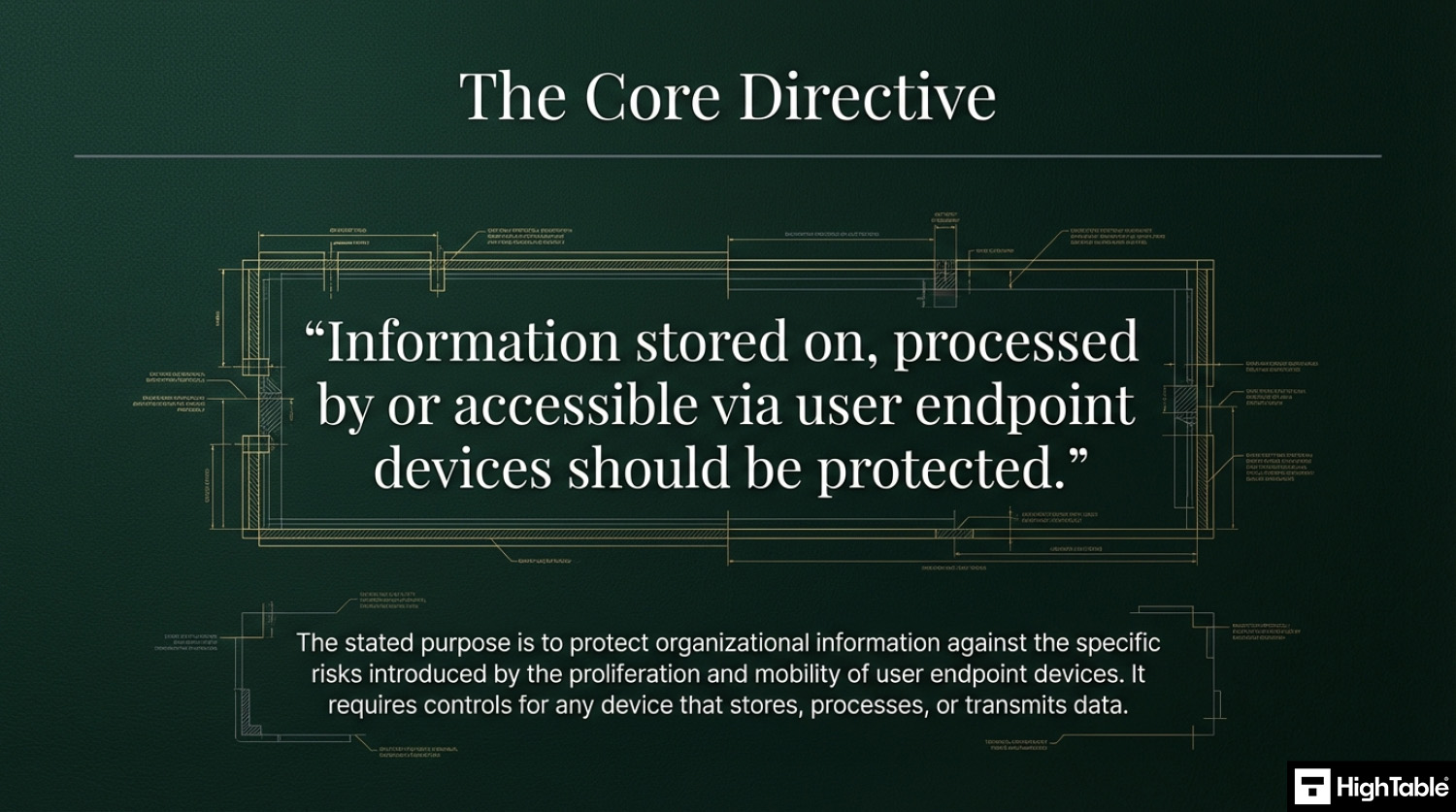
ISO 27001 Annex A 8.1 is a security control that mandates the protection of information stored on, processed by, or accessible via laptops, smartphones, and tablets. Its Primary Implementation Requirement involves deploying technical measures like full-disk encryption and malware protection. This secures the perimeter, delivering the Business Benefit of preventing data breaches across unmanaged remote environments.
In this guide, I will show you exactly how to implement ISO 27001 Annex A 8.1 and ensure you pass your audit. You will get a complete walkthrough of the control, practical implementation examples, and access to the ISO 27001 templates and toolkit that make compliance easy.
I am Stuart Barker, an ISO 27001 Lead Auditor with over 30 years of experience conducting hundreds of audits. I will cut through the jargon to show you exactly what changed in the 2022 update and provide you with plain-English advice to get you certified.
Key Takeaways: ISO 27001 Annex A 8.1 User Endpoint Devices
ISO 27001 Annex A 8.1 requires organizations to protect the information stored on, processed by, or accessible via user endpoint devices (laptops, desktops, smartphones, tablets). Because these devices are portable and often used in unmanaged environments (homes, cafes), they present a significant risk of loss, theft, or unauthorized access. The goal is to implement a multi-layered defence, combining technical tools, strict policies, and user awareness, to secure every “entry point” to your corporate network.
Core requirements for compliance include:
- Comprehensive Asset Inventory: You cannot protect what you don’t know exists. You must maintain a real-time list of all company-issued and personal devices (BYOD) used for work.
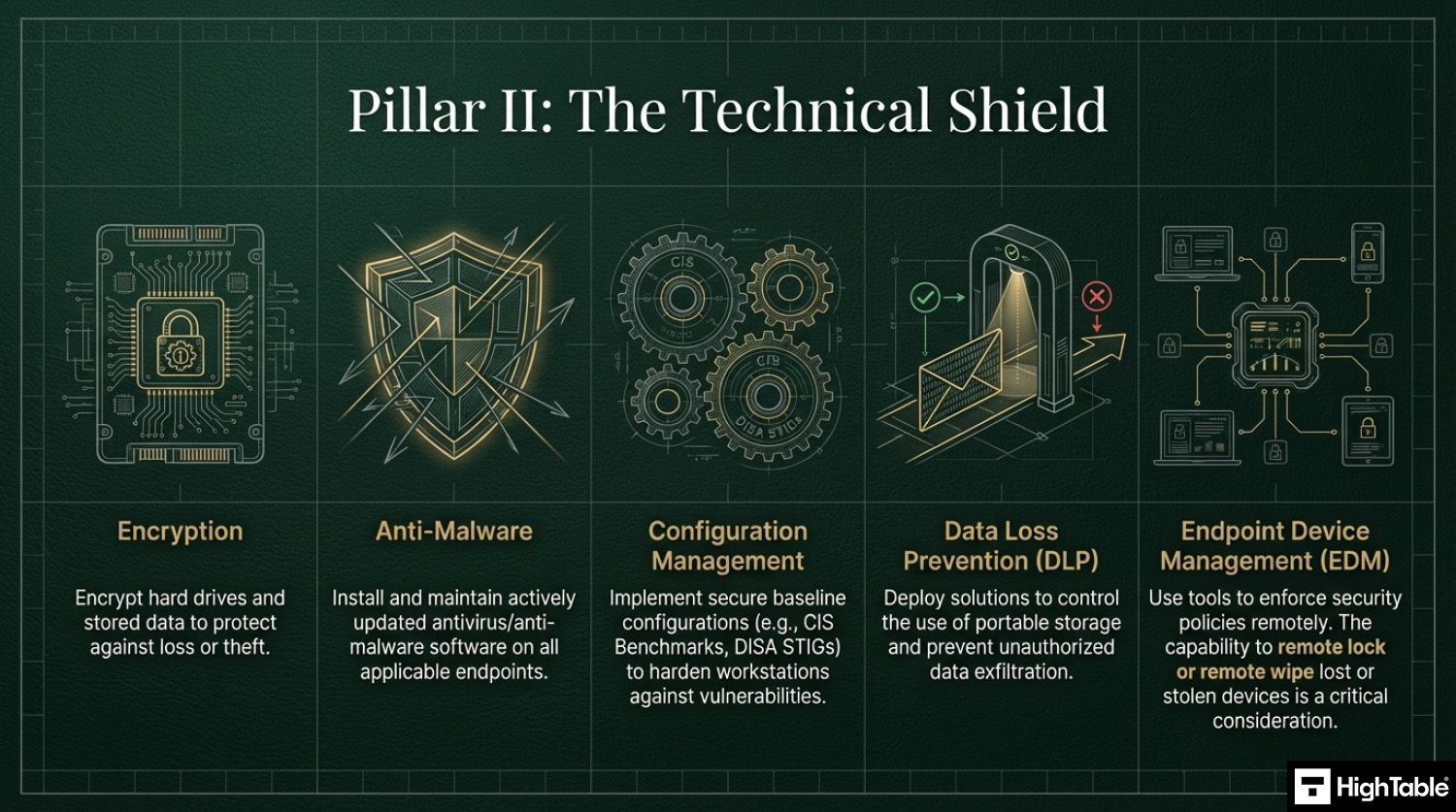
- The “Security Trifecta”: At a bare minimum, auditors expect to see Full Disk Encryption (BitLocker/FileVault), Endpoint Protection (Antivirus/EDR), and Managed Patching on every device.
- Endpoint Management (MDM/UEM): Use tools like Microsoft Intune or Jamf to enforce security baselines, such as auto-lock timers, password complexity, and the ability to Remote Wipe a lost device.
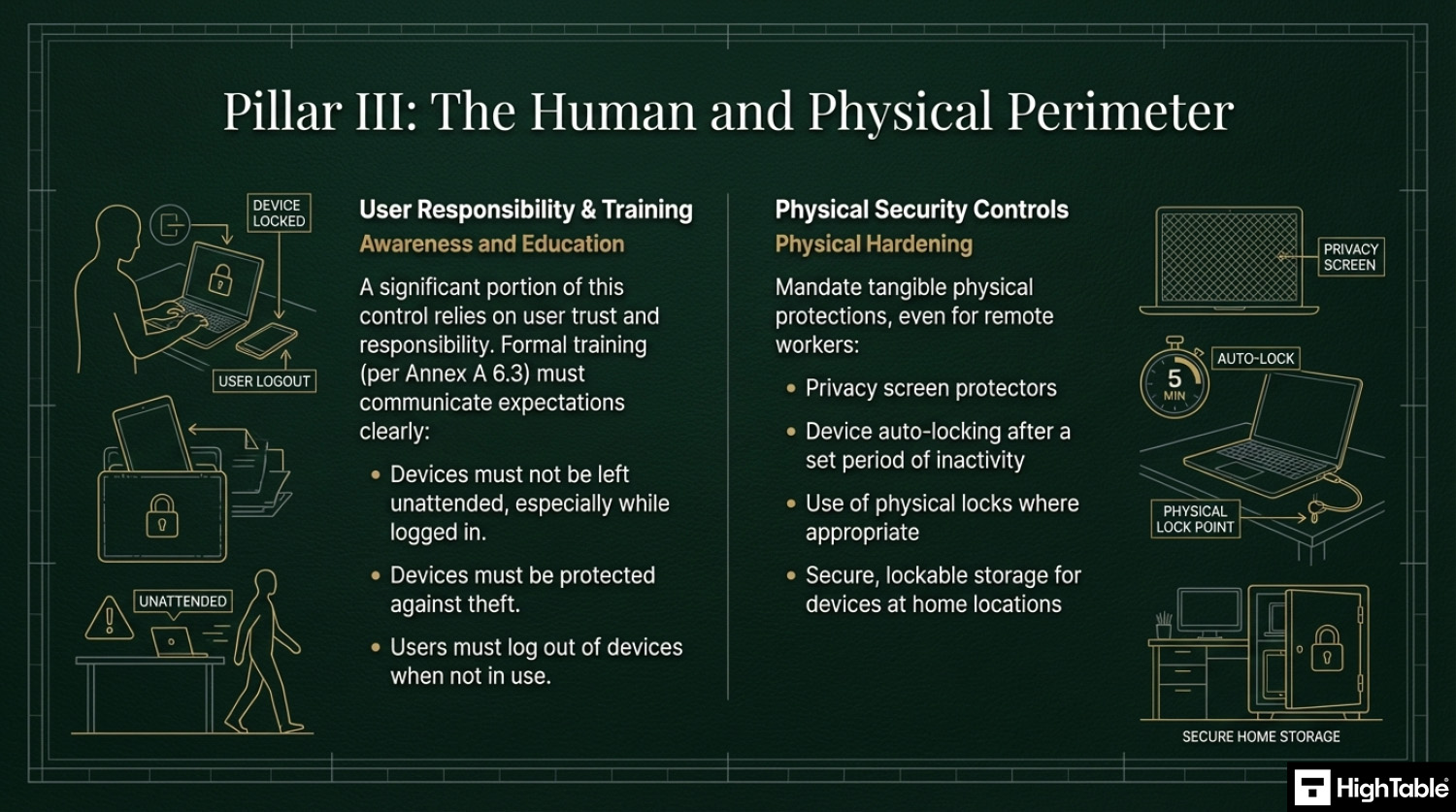
- Physical Security Training: Users must be educated on “public space etiquette”, never leaving a laptop unattended and using privacy screens to prevent “shoulder surfing” in open areas.
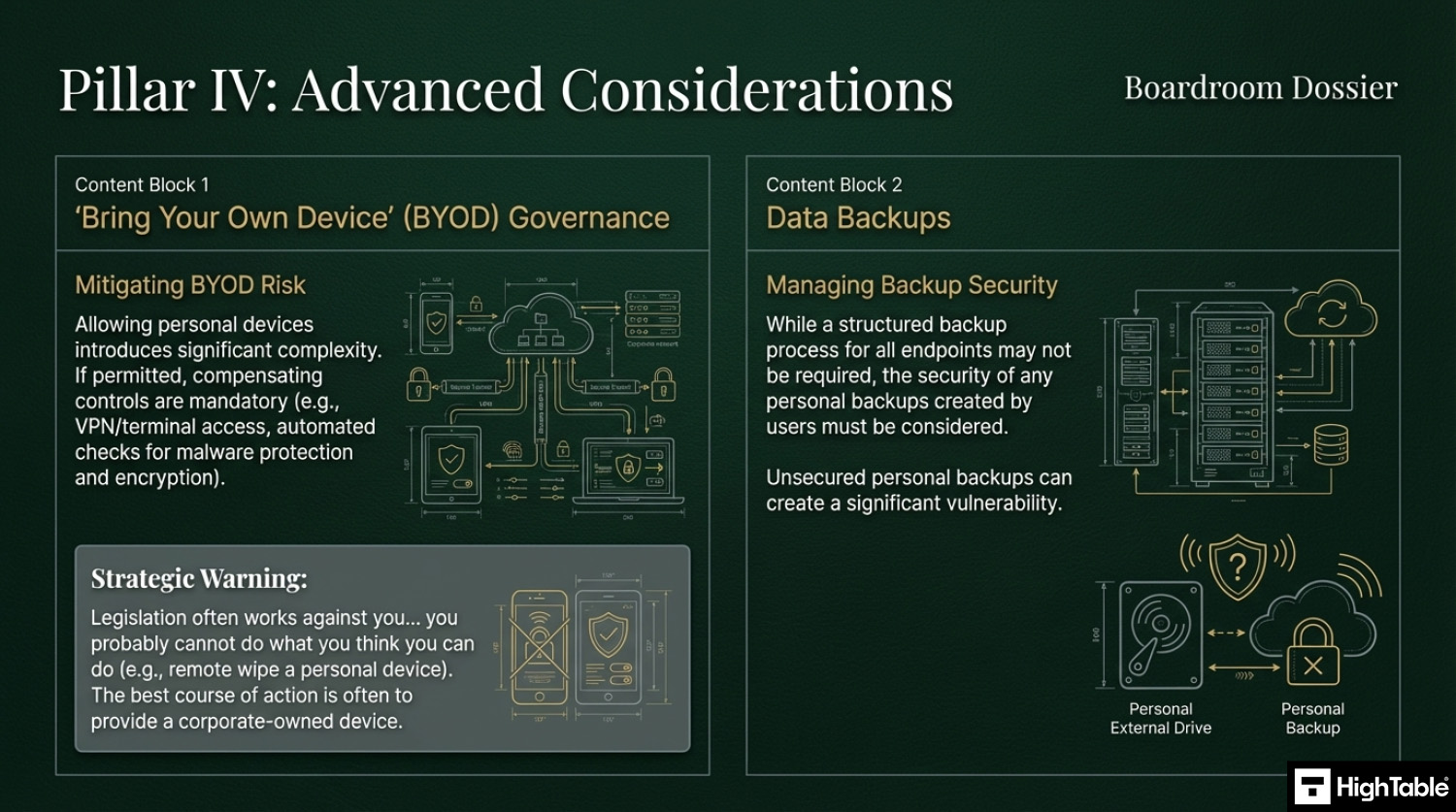
- BYOD Governance: If you allow personal phones or laptops, you must use “containerization” (like Outlook Work Profiles) to keep company data separate and deletable without wiping the user’s personal photos.
Audit Focus: Auditors will look for “The Live Verification”:
- Spot Checks: An auditor might ask a random employee to share their screen and show that their Antivirus is “Green” and their hard drive is encrypted.
- MDM Dashboard: “Show me your Intune or Jamf dashboard. How many devices are currently ‘Non-Compliant’ and what is your process for fixing them?”
- The Leaver Test: “Show me the record for the last person who left the company. How did you verify their device was returned or wiped?”
Device Compliance Matrix (Managed vs. BYOD):
| Requirement | Corporate Device (Managed) | Personal Device (BYOD) |
|---|---|---|
| Control Level | Full MDM Agent (Deep control). | App Container (Light control). |
| Data Security | Full device encryption mandatory. | Work-app encryption required. |
| Data Wipe | Full Remote Wipe capability. | Selective Wipe (Work data only). |
| App Access | Restricted to Company Portal. | Open (with work app isolation). |
Do it Yourself ISO 27001
Our Lead-Auditor verified templates with expert support have a 100% success rate.

Key Takeaways
What is ISO 27001 User Endpoint Device Security?
What is ISO 27001 Annex A 8.1?
The latest version of the ISO 27001 standard is ISO/IEC 27001:2022 (published in October 2022).
In the ISO/IEC 27001:2022 Standard the control is titled “User Endpoint Device Security”.
The ISO 27001 standard defines ISO 27001 Annex A 8.1 as:
ISO 27001:2022 Annex A 8.1 User Endpoint Device Security
ISO 27001 Annex A 8.1 Purpose
ISO 27001 Annex A 8.1 Free Training Video
ISO 27001 Annex A 8.1 Explainer Video
In this beginner’s guide to ISO 27001 Annex A 8.1 User Endpoint Device Security, ISO 27001 Lead Auditor Stuart Barker and his team talk you through what it is, how to implement in and how to pass the audit.
ISO 27001 Annex A 8.1 Podcast
In this episode: Lead Auditor Stuart Barker and team do a deep dive into the ISO 27001 Annex A 8.1 User Endpoint Device Security. The podcast explores what it is, why it is important and the path to compliance.
ISO 27001 Annex A 8.1 Implementation Guidance
1. Establishing an Endpoint Device Security Policy
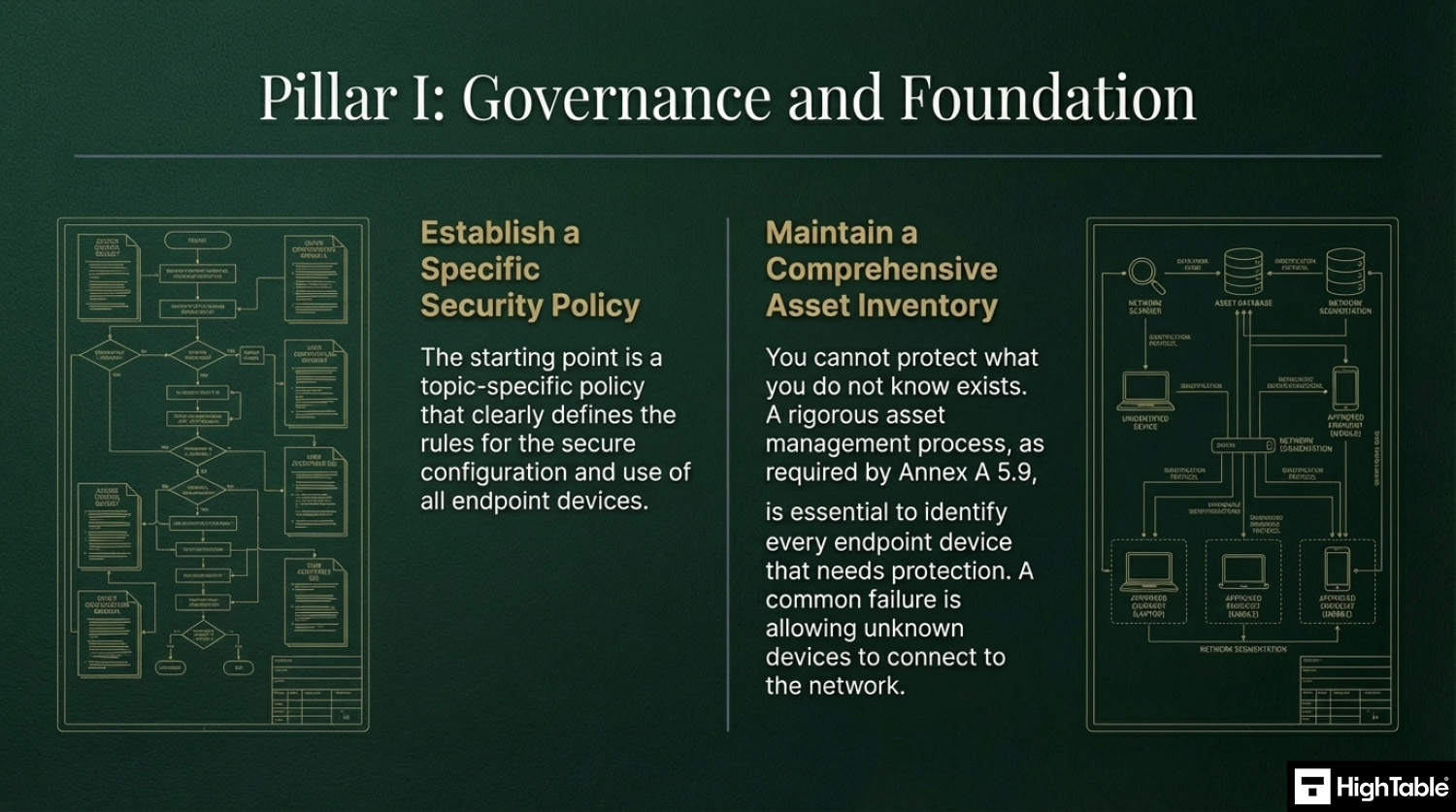
2. Maintain a Comprehensive Asset Inventory
3. Essential Security Controls for User Devices
4. The Importance of Employee Training and Awareness
5. Implement Physical Security Controls
6. “Bring Your Own Device” (BYOD) Governance
7. Data Backup Requirements
8. Remove Asset Tags
How to Implement ISO 27001 Annex A 8.1
Securing user endpoint devices is a fundamental requirement for maintaining a resilient security perimeter, especially in hybrid and remote working environments. By following these technical implementation steps, your organisation can effectively manage hardware assets and mitigate the risk of data breaches in alignment with ISO 27001 Annex A 8.1.
1. Formalise Endpoint Security Policies and Rules of Engagement
- Draft a comprehensive “Acceptable Use Policy” (AUP) that explicitly defines user responsibilities for both corporate-owned and BYOD (Bring Your Own Device) assets.
- Establish a technical “Rules of Engagement” (ROE) document for system administrators that outlines the mandatory security configurations for all devices before they are permitted to access the network.
- Result: A documented governance framework that ensures all endpoints meet the organisation’s security baseline prior to operation.
2. Provision Unified Endpoint Management (UEM) and MDM Solutions
- Deploy a centralised Mobile Device Management (MDM) or Unified Endpoint Management (UEM) platform to automate the enrolment and configuration of all laptops, tablets, and smartphones.
- Enforce “Zero-Touch” provisioning to ensure security profiles, such as Wi-Fi certificates and VPN settings, are pushed to devices automatically.
- Result: Full technical visibility and administrative control over the entire device estate from a single management console.
3. Mandate Full Disk Encryption (FDE) and Cryptographic Protection
- Enforce hardware-level encryption (e.g. BitLocker for Windows or FileVault for macOS) across all endpoint devices to protect data at rest.
- Provision a centralised key management system to securely store and rotate recovery keys, ensuring that encrypted data remains accessible only to authorised personnel.
- Result: Protection against data exfiltration in the event of physical device theft or loss.
4. Restrict Administrative Access via IAM and MFA
- Revoke local administrative privileges for standard users to prevent the unauthorised installation of software or modification of system security settings.
- Implement Multi-Factor Authentication (MFA) and granular Identity and Access Management (IAM) roles for all device-level administrative tasks.
- Result: A significantly reduced attack surface where malware or malicious actors cannot easily gain persistence on the host.
5. Execute Continuous Compliance Monitoring and EDR Deployment
- Provision Endpoint Detection and Response (EDR) agents to monitor for anomalous behaviour, such as lateral movement or unauthorised registry changes.
- Configure “Conditional Access” policies that automatically block devices from accessing corporate resources if they fail security health checks (e.g. outdated OS, disabled firewall).
- Result: Real-time detection of threats and automated enforcement of the organisation’s security posture.
6. Revoke Access and Perform Secure Remote Wiping
- Establish technical procedures for the immediate revocation of access and the execution of a “Remote Wipe” command upon notification of device loss or employee termination.
- Maintain a verifiable audit trail of all decommissioned assets to ensure that corporate data has been forensically removed before hardware disposal.
- Result: Elimination of residual data risks and the maintenance of a clean, authorised device inventory.
Device Compliance Matrix
Example device compliance matrix for BYOD and handling personal devices.
| Requirement | Corporate Device (Managed) | Personal Device (BYOD) |
| Enforced Policy | Full Control (MDM Agent) | Light Control (App Container) |
| Data Wipe | Full Remote Wipe | Company Data Only (Selective Wipe) |
| Encryption | Mandatory (BitLocker/FileVault) | Required (Check Compliance) |
| App Install | Restricted (Company Portal) | Open (User Choice) |
I’ve sat in the Auditor’s chair for 20 years. These are the exact tools I use to guarantee a pass.

How to pass an ISO 27001 Annex A 8.1 audit
What auditors look for
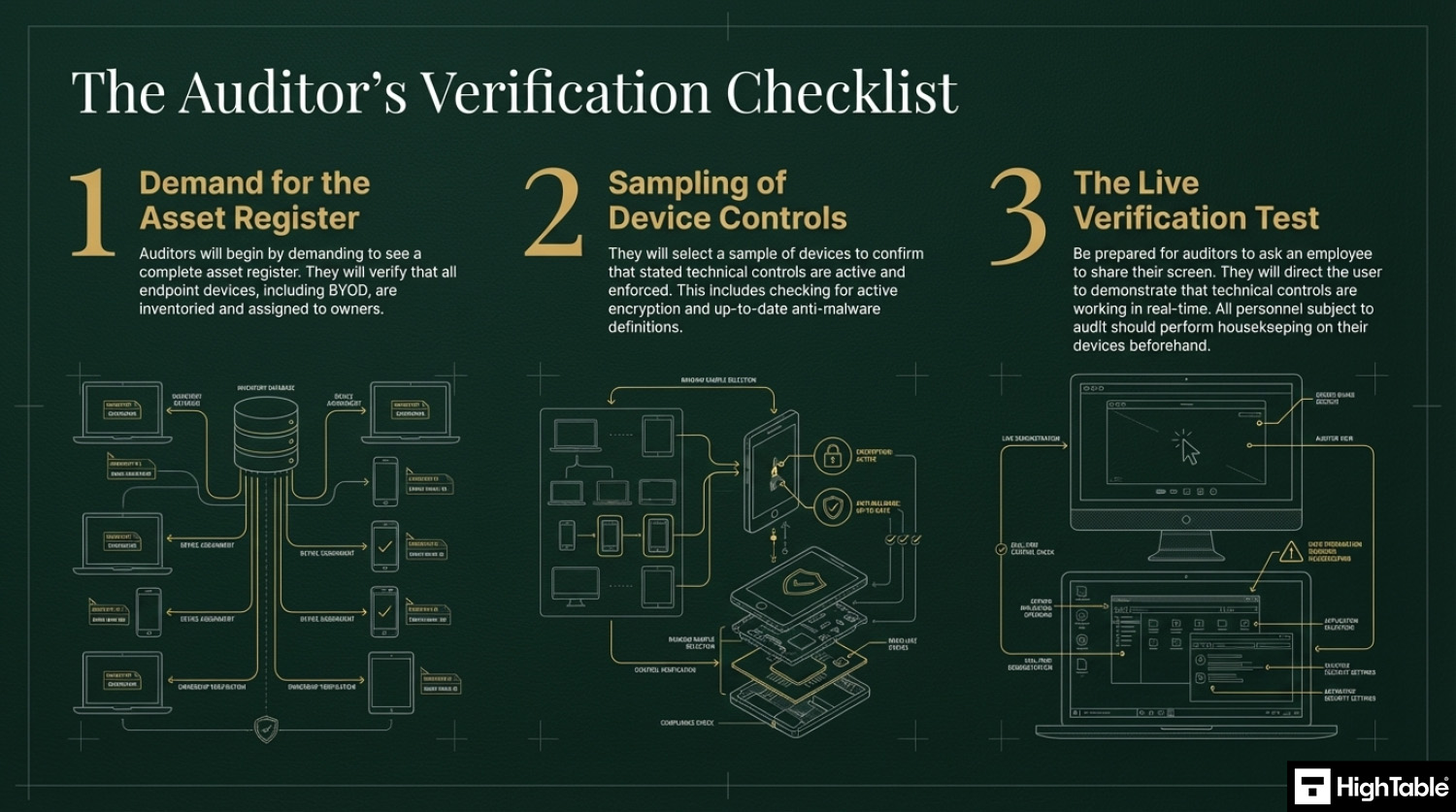
- That you have an asset register: The auditor will check that you have an asset register and an asset management process. They will want to see all of the end point devices in an asset register and that they are assigned to people. For this they are also wanting to see bring your own devices (BYOD) or people’s own devices that connect to or interact with the in scope services.
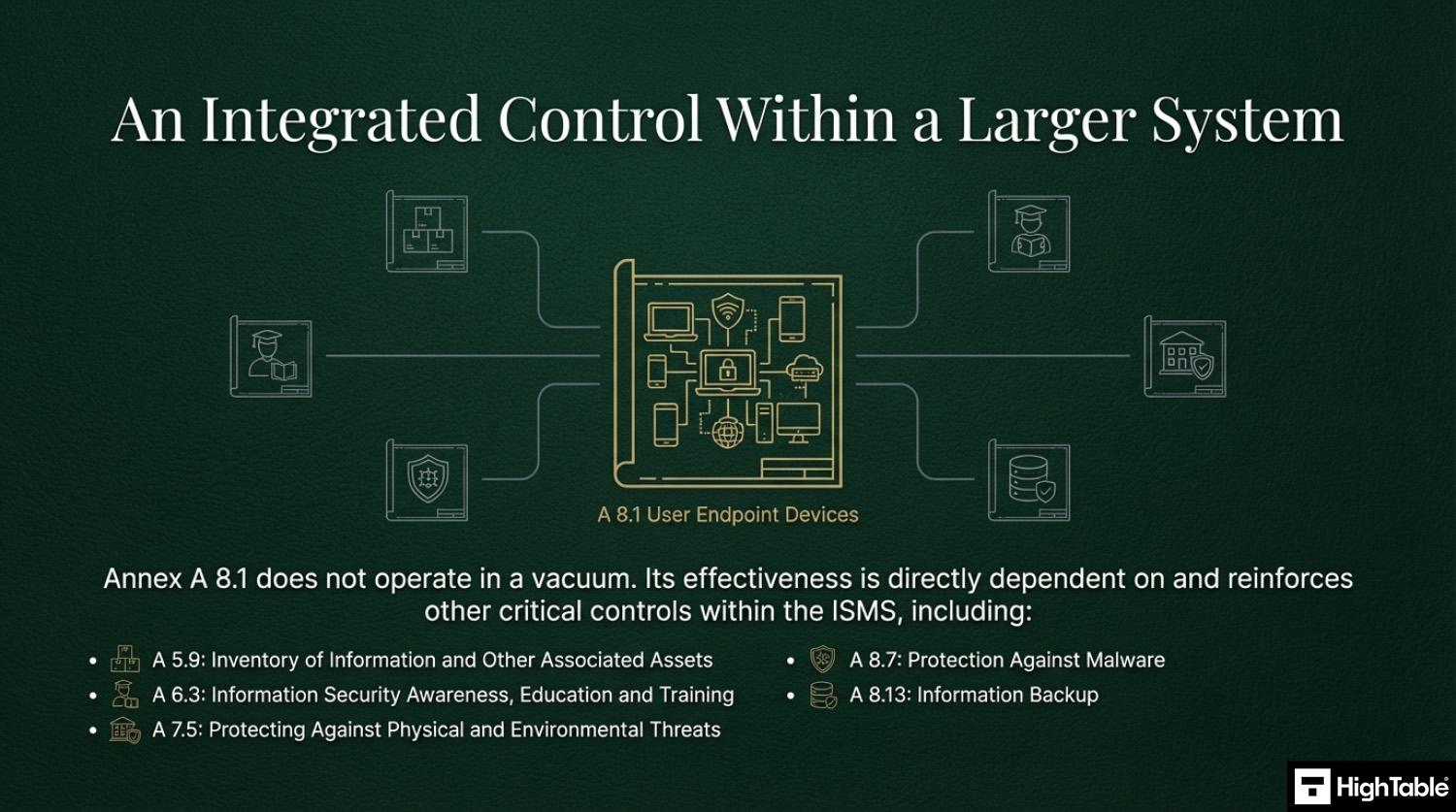
- That devices are protected and checked: The auditor is going to check that all the appropriate controls are on the end point device with the usual ones being antivirus and encryption. The SOA and the in scope controls is the starting point and specifically the technical controls that you have said are in scope. They want to see that these are checked periodically with evidence of the checks and they also want to see what you do if the checks fail, with evidence of an example of that. This is covered in more depth in ISO 27001 Annex A Control 5.9 Inventory of information and other associated assets. A great one here is that they will also check that you check that devices used by auditors and testers as part of verification activities are secure to your standards before allowing them to connect. This is covered in more detail in ISO 27001 Annex A 8.34 Protection of information systems during audit testing
- Anyone they audit: They will likely check anyone that they audit. The usual operating approach is to get the person to share their screen and then to direct them to show the technical controls in place. This is usually ‘show me the antivirus is working’ as an approach. It is less common for them to observe the desk top and the trash for evidence of things that should not be there. You really should get everyone that is being audited to perform house keeping before the audit with the assumption they will be asked to share their screen. You can refuse and base that on confidentiality but they will want to see a sample of devices so if not you, then it will be someone.
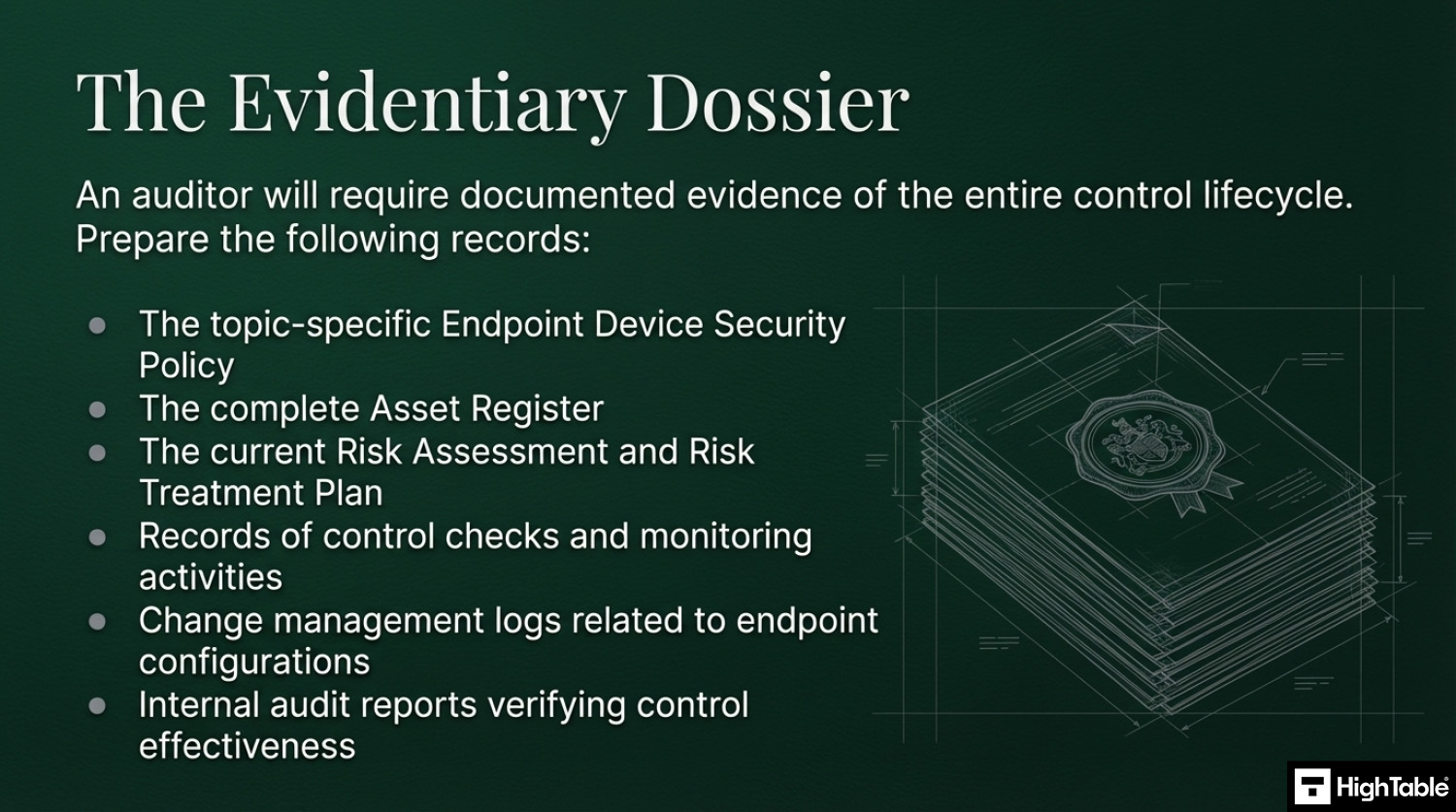
Key Documentation Required for a Successful Audit
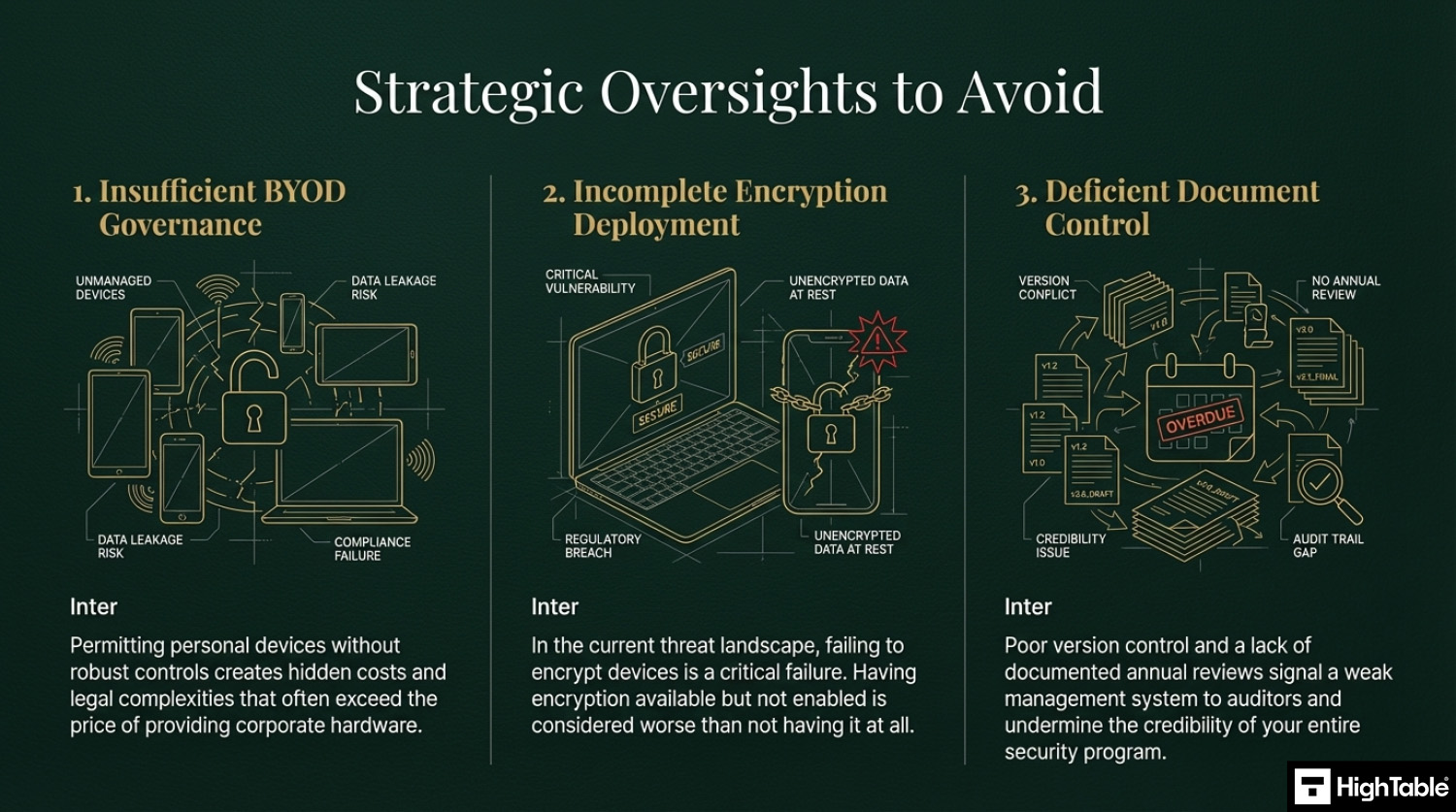
Top 3 ISO 27001 Annex A 8.1 mistakes and how to avoid them
- Letting people use their own devices: This is not a bad thing actually. Although it comes with some challenges and costs that are going to be far in excess of the cost of just providing a device owned and managed by the organisation. Be sure the appropriate controls are in place and that you can evidence them working.
- Not encrypting devices: There is no real reason in this day and age to not have encryption. It is built into most operating systems and devices and if not can be easily applied. Having and not having it turned on is worse that not just having it. If you don’t or can’t have it then manage it via risk management and have it on the risk register but where you can deploy it, do, and check it is in place.
- Your document and version control is wrong: Keeping your document version control up to date, making sure that version numbers match where used, having a review evidenced in the last 12 months, having documents that have no comments in are all good practices.
Applicability of ISO 27001 Annex A 8.1 across different business models.
| Business Type | Applicability | Examples of Control Implementation |
|---|---|---|
| Small Businesses | Focuses on securing a small fleet of laptops and smartphones, often with a mix of company-owned and personal devices (BYOD). The goal is to enforce the “Security Trifecta” (Encryption, Antivirus, Patching) with minimal administrative overhead. |
|
| Tech Startups | Critical for managing a distributed or remote workforce. Compliance requires automated endpoint management (MDM) to enforce security baselines and the ability to remotely wipe devices when employees leave. |
|
| AI Companies | Vital for protecting specialized hardware and high-value research tools. Focus is on securing endpoints that access high-performance compute clusters and ensuring that data doesn’t “leak” onto local drives. |
|
Fast Track ISO 27001 Annex A 8.1 Compliance with the ISO 27001 Toolkit
For ISO 27001 Annex A 8.1 (User endpoint devices), the requirement is to protect information stored on or accessible via endpoints like laptops, smartphones, and tablets. This involves technical controls (encryption, antivirus), administrative controls (BYOD policies), and human factors (training).
| Compliance Factor | SaaS Compliance Platforms | High Table ISO 27001 Toolkit | Audit Evidence Example |
|---|---|---|---|
| Policy Ownership | Rents access to your standards; if you cancel, your documented BYOD and encryption rules are lost. | Permanent Assets: Fully editable Word/Excel Endpoint Policies that you own forever. | A localized BYOD Policy defining remote-wipe consent and security requirements for staff. |
| Technical Implementation | Attempts to “monitor” devices via dashboards that often duplicate native data from Intune, Jamf, or BitLocker. | Governance-First: Formalizes your existing tech stack (MDM, EDR) into an auditor-ready framework. | A Device Compliance Matrix proving that all mobile assets are encrypted and password-protected. |
| Cost Structure | Charges a “Success Tax” based on the number of endpoints or seats, scaling OpEx as your team grows. | One-Off Fee: A single payment covers your governance documentation for 10 devices or 1,000. | Allocating budget to actual EDR software or hardware refreshes rather than a monthly paperwork fee. |
| Stack Freedom | Limited by vendor “connectors”; switching MDM providers requires reconfiguring the compliance tool. | 100% Agnostic: Standards adapt to any OS (Windows, macOS, iOS, Android) and any security toolset. | The ability to switch from one MDM provider to another without needing to pay for new compliance modules. |
The Tools We Use.
100% Audit Success. Zero AI Guesswork.

Summary: For Annex A 8.1, the auditor wants to see that you have a formal policy for endpoint security and proof that you follow it (e.g., encryption status checks). The High Table ISO 27001 Toolkit provides the governance framework to satisfy this requirement immediately. It is the most direct, cost-effective way to achieve compliance using permanent documentation that you own and control.
ISO 27001 Annex A 8.1 FAQ
What is ISO 27001 Annex A 8.1?
ISO 27001 Annex A 8.1 is a preventive information security control designed to protect data stored on or accessed by user endpoint devices. It requires organizations to establish policies and technical measures to secure devices against unauthorized access, loss, or theft. Key requirements include:
- Maintaining an accurate inventory of all devices.
- Enforcing technical controls like encryption and antivirus.
- Defining user responsibilities for physical security.
What devices are defined as “User Endpoints” in ISO 27001?
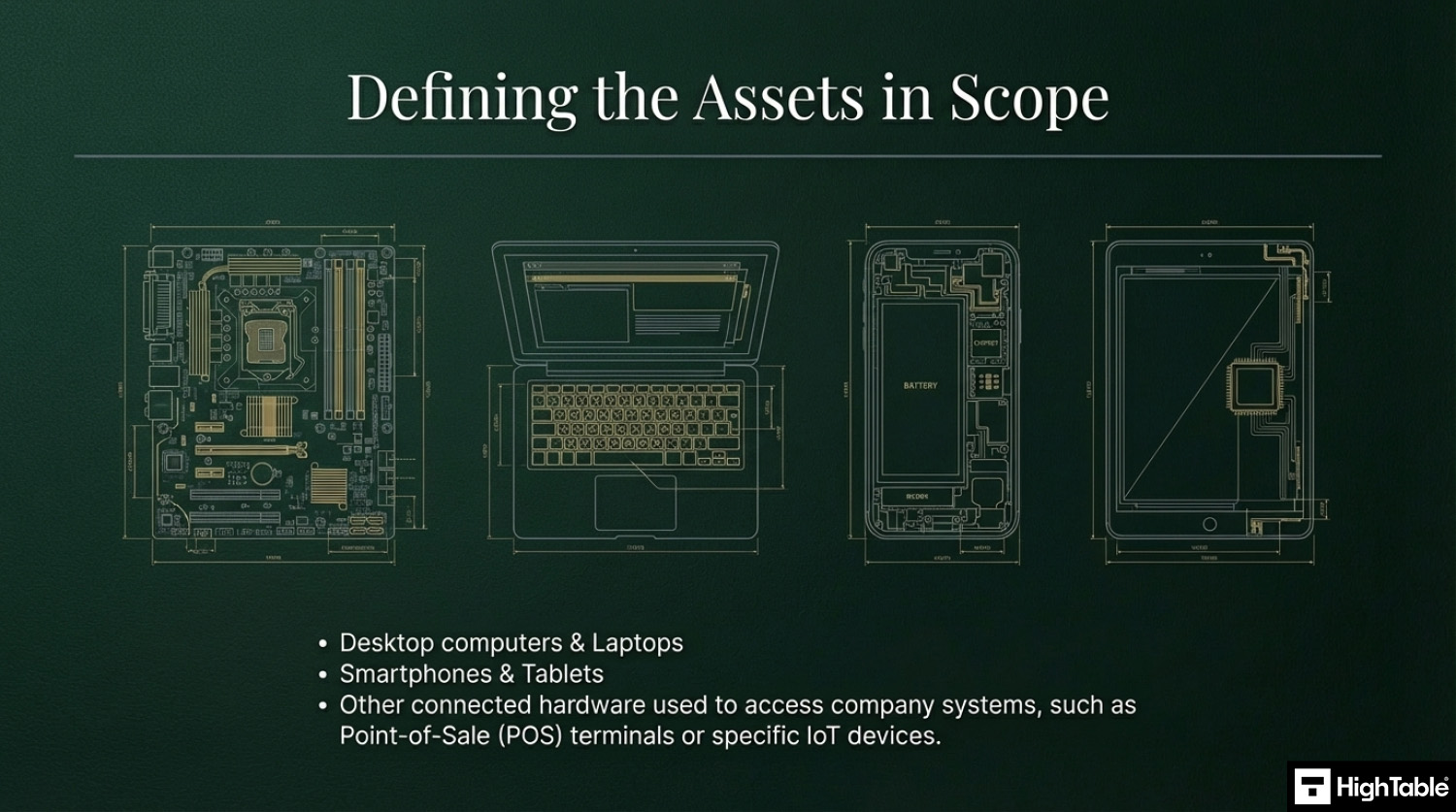
User endpoint devices are any pieces of equipment used by employees or third parties to process, store, or access organizational information. This definition is broad and includes:
- Corporate and personal laptops or desktops.
- Smartphones and tablets.
- Wearable technology (smartwatches).
- IoT devices or POS terminals connected to the network.
Does ISO 27001 Annex A 8.1 require antivirus and encryption?
Yes, auditors typically view the “Security Trifecta” of encryption, antivirus, and patching as a mandatory baseline for compliance. Without these technical controls, it is difficult to prove you are adequately mitigating risk. Essential implementations include:
- Full Disk Encryption: Tools like BitLocker or FileVault.
- Endpoint Protection: Active anti-malware or EDR solutions.
- Managed Patching: Automated updates for OS and applications.
How do we handle BYOD (Bring Your Own Device) under Annex A 8.1?
Annex A 8.1 allows for BYOD but requires specific governance and technical partitioning to ensure corporate data remains secure on personal devices. Simply allowing personal devices without controls is a major non-conformity. Best practices include:
- Containerization: Using “Work Profiles” to separate business data from personal apps.
- Selective Wipe: The ability to remove only corporate data if an employee leaves.
- Policy Acceptance: Users must sign a BYOD policy acknowledging security rules.
What will an auditor check for Annex A 8.1 compliance?
Auditors generally perform “live verification” spot checks rather than solely relying on written policies. You should be prepared to demonstrate real-time evidence during the audit. Common checks include:
- Screen Sharing: Asking a random employee to show their antivirus status or disk encryption.
- MDM Dashboard: Reviewing compliance reports in tools like Intune or Jamf.
- Leaver Process: Proving a specific device was wiped or returned when a staff member left.
What is the difference between the 2013 and 2022 versions of this control?
The 2022 version (Annex A 8.1) consolidates the previous “Mobile Device Policy” (A.6.2.1) and other controls into a broader, device-agnostic mandate. The primary shifts include:
- Scope Expansion: Now covers all endpoints, not just mobile devices.
- User Responsibility: Stronger emphasis on user behavior and physical security.
- Modern Risks: Explicit consideration for unmanaged environments (e.g., remote work).
Related ISO 27001 Controls and Additional Resources
- ISO 27001 Annex A 5.9 Inventory of information and other associated assets
- ISO 27001 Annex A 5.17 Authentication Information
- ISO 27001 Annex A 8.7 Protection Against Malware
- ISO 27001 Annex A 8.13 Information Backup
- ISO 27001 Access Control Policy Beginner’s Guide
- ISO 27001 Asset Management Policy Beginner’s Guide
- ISO 27001 Backup Policy Template
- ISO 27001 Backup Policy Beginner’s Guide
ISO 27001 Annex A 8.1 Strategic Briefing Slides
About the author
