

ISO 27001 Clear Desk and Clear Screen Policy
In this guide, you will learn what an ISO 27001 Clear Desk and Clear Screen Policy is, how to write it yourself and I give you a template you can download and use right away.
Table of contents
- ISO 27001 Clear Desk and Clear Screen Policy
- What is it an ISO 27001 Clear Desk and Clear Screen Policy
- ISO 27001 Clear Desk and Clear Screen Policy Example
- How to write an ISO 27001 Clear Desk and Clear Screen Policy
- ISO 27001 Clear Desk and Clear Screen Policy Walkthrough Video
- ISO 27001 Clear Desk and Clear Screen Policy Template
- How the ISO 27001 Toolkit Can Help
- ISO 27001 Clear Desk and Clear Screen Checklist
- Applicability of an ISO 27001 Clear Desk and Clear Screen Policy to Small Businesses, Tech Startups, and AI Companies
- Information Security Standards That Need an ISO 27001 Clear Desk and Clear Screen Policy
- List of Relevant ISO 27001:2022 Controls
- ISO 27001 Clear Desk Policy PDF
- Clear Desk Policy for Individuals, Organisations and Remote Work
- Clear Desk Policy and the ISO 27001:2022 Update
- ISO 27001 Clear Desk Policy SOA Mapping
- Threat Scenarios and Clear Desk Remediation Controls
- IT Admin Enforcement Guide: Automated Clear Screen Controls
- How to manage Clear Desk Policy Exceptions
- ISO 27001 Clear Desk and Clear Screen Policy FAQ
What is it an ISO 27001 Clear Desk and Clear Screen Policy
The ISO 27001 Clear Desk Policy sets out the guidelines and framework for how you protect physical information and high value tangible, real world assets. A clear desk policy is designed to make sure that confidential information is physically protected when not in use.
It is a simple but super important rule you should follow in your office. Think of it like a tidying-up ritual for your workspace at the end of each workday. It’s all about making sure that no one can easily get to your private information if you’re not there. This means putting away all your confidential papers and devices so they’re safe.
It’s a key part of ISO 27001, a global standard for keeping information safe. Following this rule helps you protect sensitive data, like customer lists or your company’s secret plans, from being seen by people who shouldn’t see it. This policy is really just common sense dressed up in a fancy name!
| Dimension | Requirement Details |
|---|---|
| Why | To keep sensitive information safe and prevent unauthorised disclosure (e.g., client lists) while meeting ISO 27001 compliance requirements. |
| Where | Applied wherever sensitive information is processed, including office desks, meeting rooms, and remote or home-office environments. |
| When | At the end of every workday, during extended breaks, or before leaving confidential materials unattended in meeting spaces. |
| Who | All personnel, including the CEO, employees, interns, contractors, and visitors who interact with private or sensitive information. |
ISO 27001 Clear Desk and Clear Screen Policy Example
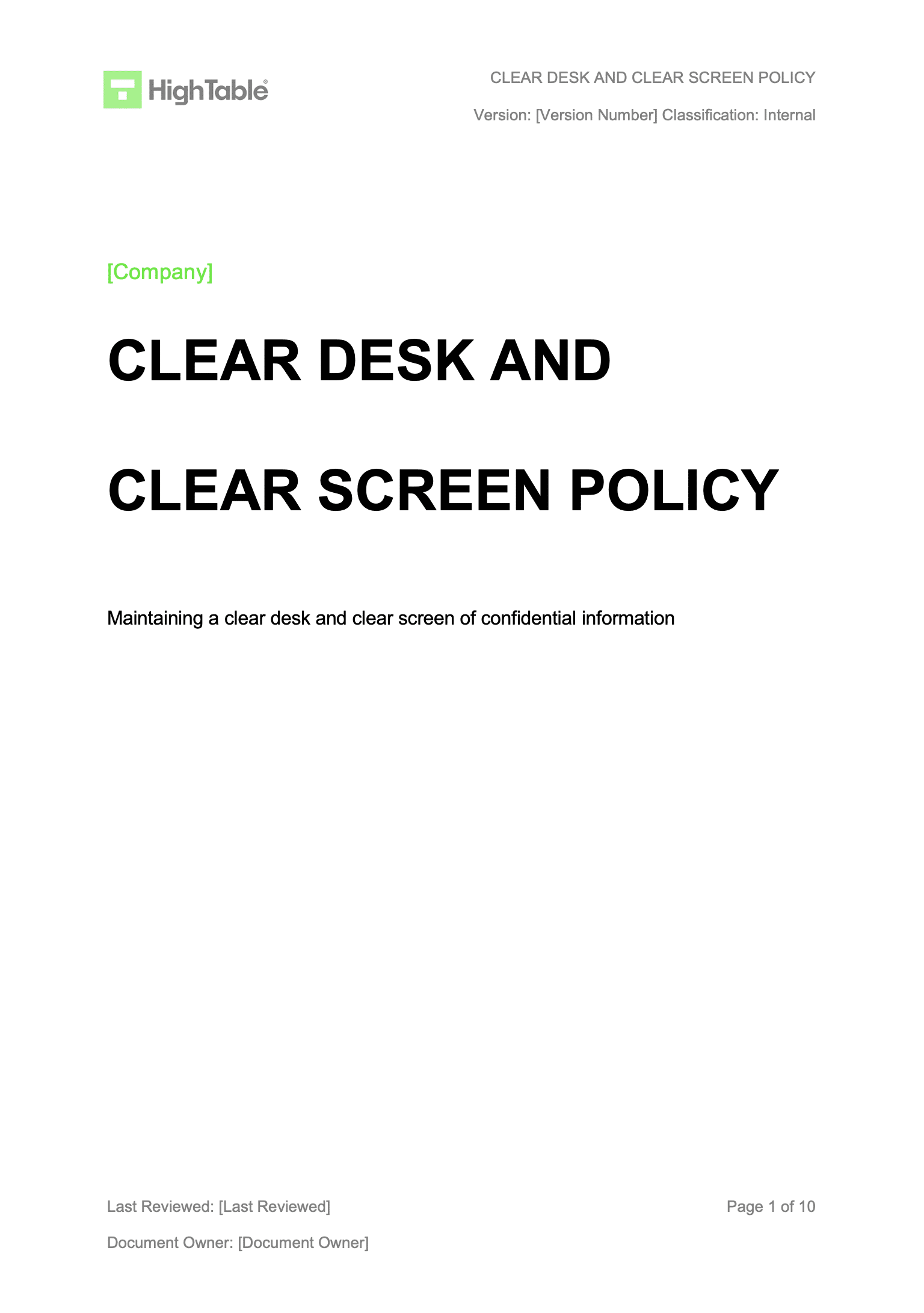
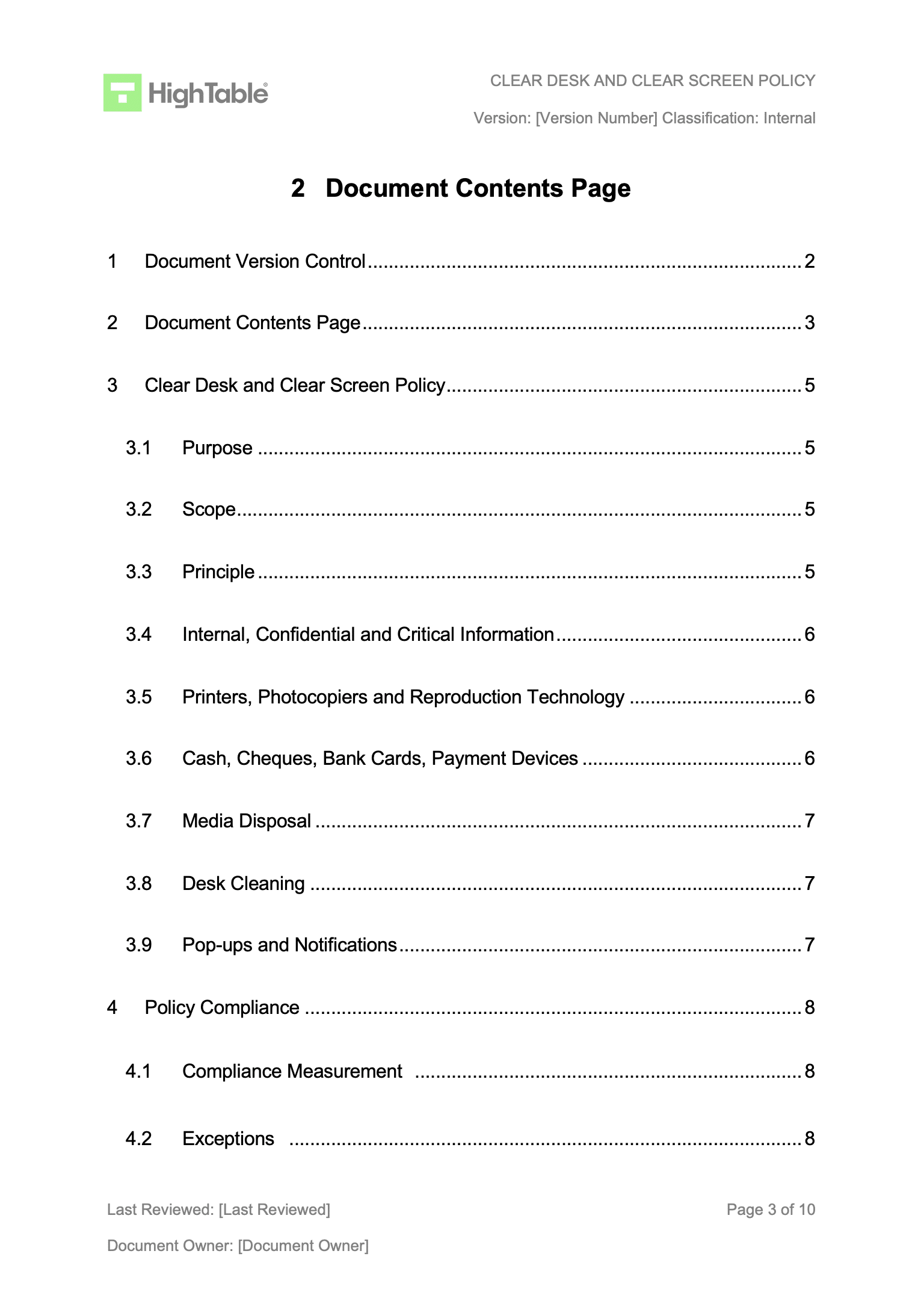
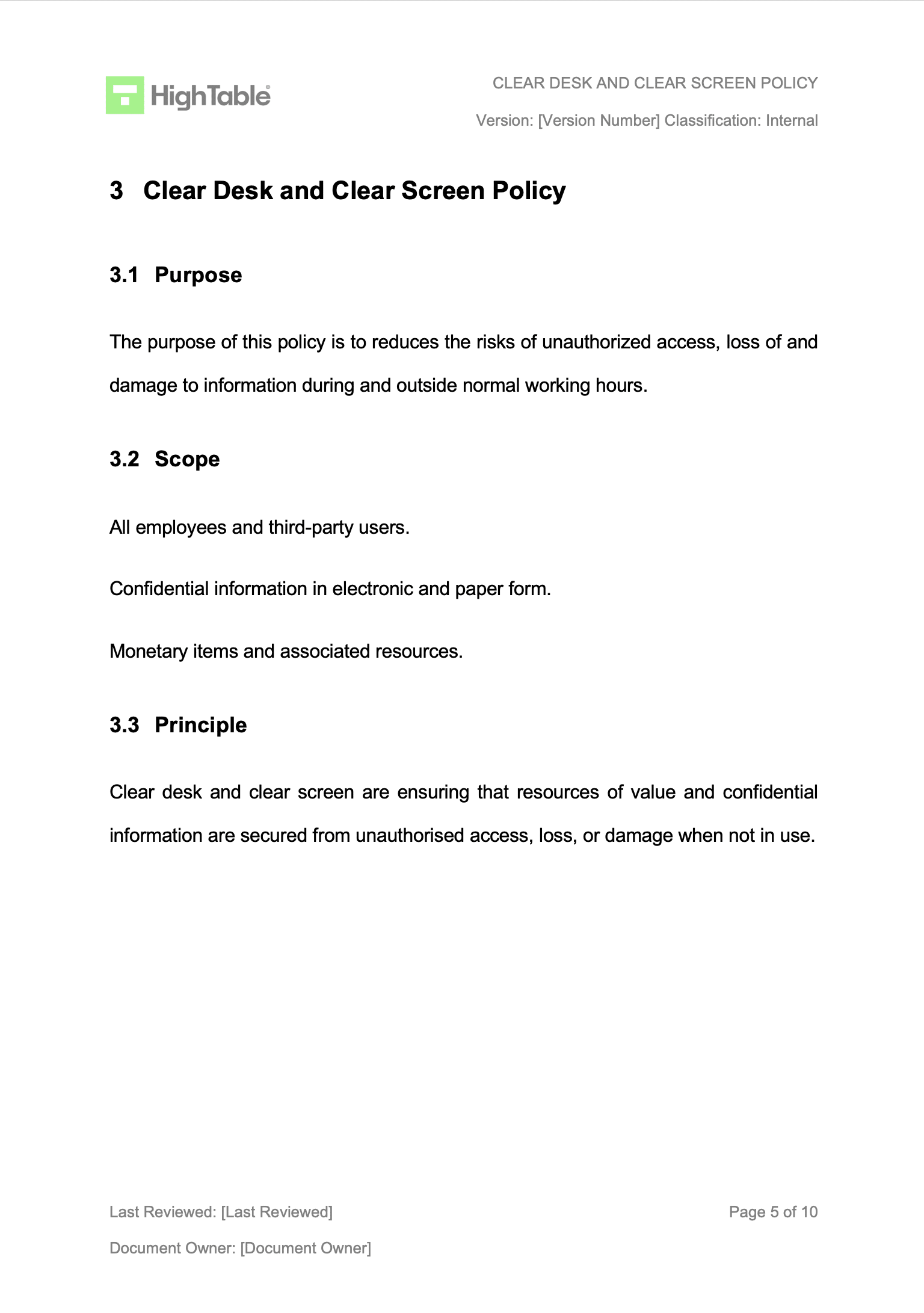
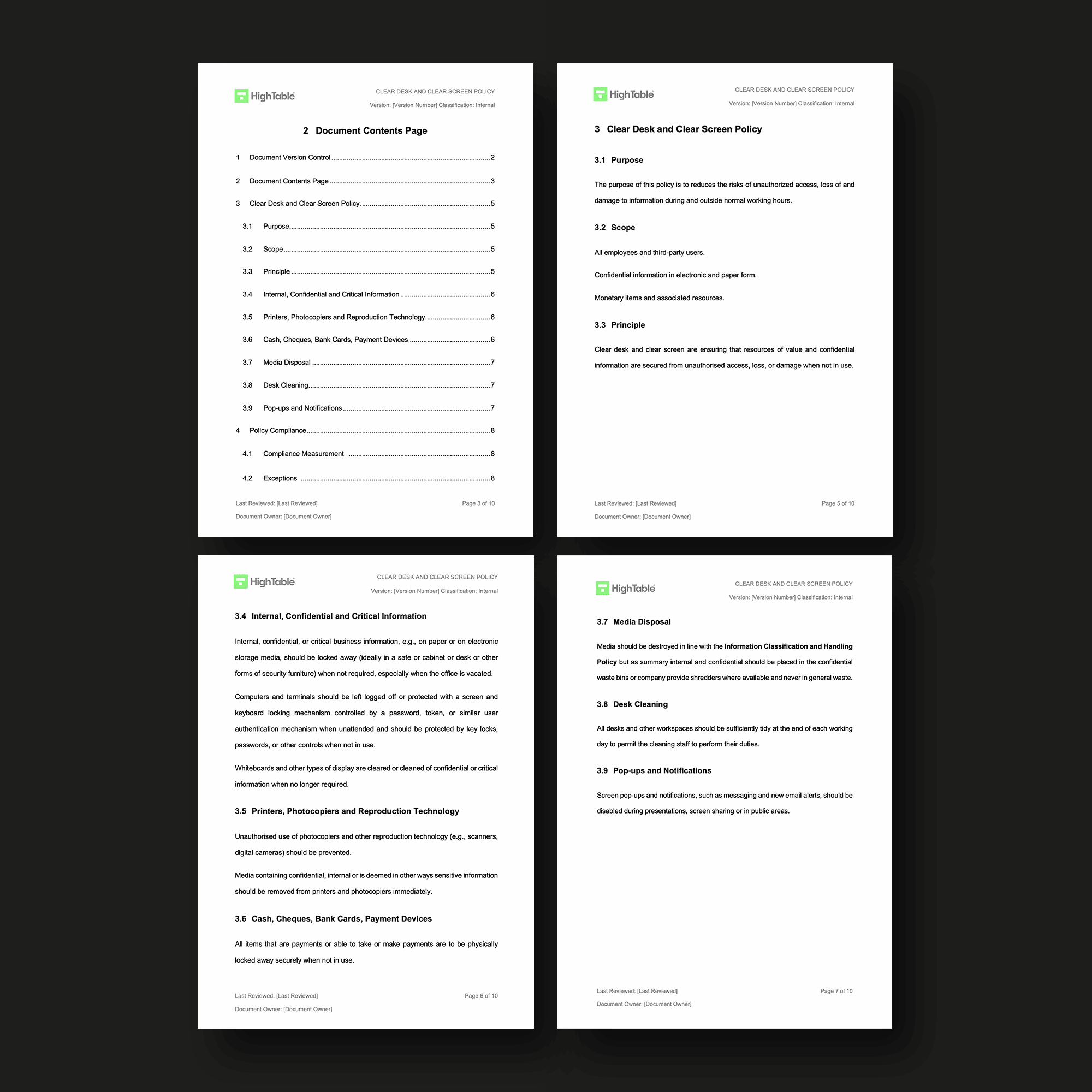
The following is the ISO 27001 clear desk policy example
How to write an ISO 27001 Clear Desk and Clear Screen Policy
Writing a Clear Desk Policy is simpler than you might think. Just make sure to include:
To implement an ISO 27001 Clear Desk Policy, organisations must define governance, secure physical and digital assets, and enforce strict disposal and screen-lock protocols. This ensures data confidentiality by reducing unauthorised access risks through technical controls, rigorous risk management, and formal staff acceptance.
1. Establish Document Governance and Version Control
Provision a formal version control table for the policy that tracks the author, specific changes, date of amendment, and the version number. Apply document mark-up to ensure clear classification (e.g., Confidential or Internal) is visible on every page to align with ISO 27001 information handling requirements.
2. Define the Policy Purpose and Risk Objectives
Formalise the document purpose to explicitly state that the policy reduces the risks of unauthorised access, loss of, and damage to information during and outside normal working hours. This aligns the policy with the overarching Information Security Management System (ISMS) risk treatment plan.
3. Determine the Policy Scope and Asset Boundaries
Identify the scope to include all company employees and external party users. Ensure the policy covers confidential information in both electronic and paper formats, as well as monetary items and associated hardware resources used across the organisation.
4. Codify the Principle of Resource Protection
Enshrine the core principle that clear desk and clear screen controls must ensure resources of value and confidential information are secured from unauthorised access, loss, or damage whenever they are not in active use.
5. Enforce Information and System Handling Protocols
Provision lockable storage such as safes or cabinets for internal, confidential, or critical business information when the office is vacated. Configure computers to remain logged off or protected via a keyboard locking mechanism (GPO or IAM roles) controlled by MFA or secure passwords when unattended.
6. Regulate Peripheral and Visual Display Usage
Mandate that whiteboards and displays are cleared of confidential information after meetings. Prevent unauthorised use of reproduction technology and ensure all sensitive media is removed from printers and photocopiers immediately after the print job completes.
7. Secure Monetary and Payment Hardware
Formalise the requirement that all items used for payments, including cash, cheques, bank cards, and payment devices, must be physically locked away securely in a designated safe or secure container when not in use.
8. Execute Secure Media Disposal Procedures
Destroy media in accordance with the Information Classification and Handling Policy. Ensure all internal and confidential documents are routed to confidential waste bins or industrial shredders and strictly prohibit the disposal of sensitive information in general waste streams.
9. Maintain Workspace Sanitation for Physical Security
Mandate that all desks and workspaces remain sufficiently tidy at the conclusion of each working day. This allows cleaning staff to perform duties without risking the accidental exposure or displacement of sensitive documentation.
10. Configure Privacy-Centric Screen Notifications
Disable screen pop-ups and notifications, such as instant messaging and email alerts, via system settings. This prevents the accidental disclosure of sensitive data during presentations, screen-sharing sessions, or when working in public areas.
11. Deploy the Policy Communication Plan
Identify appropriate timings and channels to communicate the clear desk policy to all staff. Store the finalised policy in a centralised, accessible digital repository to ensure that all users can reference compliance requirements at any time.
12. Evidence and Archive Staff Acceptance
Utilise an acceptance methodology to confirm staff have read, understood, and accepted the policy terms. Maintain this evidence digitally for future ISO 27001 audits and to support potential disciplinary processes in the event of non-compliance.
13. Formalise Exception and Risk Management
Identify and record any business or technical scenarios where policy compliance cannot be achieved. Manage these via the formal risk management process, ensuring that effective compensating controls are agreed upon and documented.
ISO 27001 Clear Desk and Clear Screen Policy Walkthrough Video
ISO 27001 Clear Desk and Clear Screen Policy Template
The ISO 27001 Clear Desk and Clear Screen Policy Template is designed to fast track your implementation and give you an exclusive, industry best practice policy template that is pre written and ready to go. It is included in the ISO 27001 toolkit.
How the ISO 27001 Toolkit Can Help
An ISO 27001 toolkit is a great shortcut. It often includes pre-written policies like the Clear Desk Policy, procedures, and forms that you can use right away. It saves you the hassle of writing everything from scratch and helps you make sure you don’t miss any important details.
Stop Guessing. Start Passing.
AI-generated policies are generic and fail audits. Our Lead-Auditor templates have a 100% success rate. Don’t risk your certification on a prompt

| Feature | ISO 27001 Templates Toolkit | Online SaaS Platforms |
|---|---|---|
| Ownership | Permanent. You download the files and own them forever. There is no risk of losing access to your policy if a subscription expires. | Conditional. You “rent” your documentation. If you stop paying the monthly fee, you typically lose access to the platform and your data. |
| Simplicity | High. Built on Microsoft Word and Excel. Everyone on your team already knows how to use these, requiring zero additional training. | Low. Requires staff to learn a proprietary interface, manage new login credentials, and navigate complex software workflows. |
| Total Cost | One-off Fee. Pay once and use the templates across your entire organisation indefinitely. No hidden maintenance costs. | Expensive Subscriptions. Recurring monthly or annual fees that increase as your team grows, often costing thousands over time. |
| Vendor Lock-in | None. You have total freedom. Your compliance data is stored in standard formats that are portable and independent of any provider. | High. Moving your ISMS away from a SaaS provider is notoriously difficult, often requiring manual data extraction and re-formatting. |
| Customisation | Infinite. Fully editable documents that you can brand, tweak, and integrate into your existing internal file systems immediately. | Restricted. You are often limited to the platform’s specific fields and templates, making unique business processes hard to document. |
ISO 27001 Clear Desk and Clear Screen Checklist
| Audit Checkpoint | Compliance Requirement | Pass/Fail |
|---|---|---|
| Unattended Workstations | Are all digital screens locked manually or automatically via GPO within 5 minutes? | Yes / No |
| Physical Media Storage | Is sensitive paper-based information locked in pedestals or cabinets when not in use? | Yes / No |
| Removable Storage | Are USB drives, external HDDs, and mobile devices removed from desks and secured? | Yes / No |
| Peripheral Security | Have all printers and photocopiers been cleared of sensitive output/documentation? | Yes / No |
| Visual Displays | Are whiteboards and meeting room displays wiped clean of confidential architectural or data diagrams? | Yes / No |
| Monetary Assets | Are cash, cheques, and payment terminals (PDQ) stored in a secure safe or locked container? | Yes / No |
| Secure Disposal | Is there evidence that confidential waste is routed to shredding bins rather than general waste? | Yes / No |
Applicability of an ISO 27001 Clear Desk and Clear Screen Policy to Small Businesses, Tech Startups, and AI Companies
| Sector | Strategic Benefit | Practical Implementation Example |
|---|---|---|
| Small Businesses | Demonstrates professionalism and builds a reputation for security trustworthiness. | Securing client contracts and sketches in lockable cabinets; ensuring workstations are locked at end-of-day. |
| Tech Startups | Prevents accidental data leaks of innovative ideas and intellectual property in fast-paced environments. | Locking screens and concealing source code notes or architectural diagrams from visitors and competitors. |
| AI Companies | Protects massive datasets and ensures compliance with global regulations like GDPR. | Storing data samples on secure, encrypted drives and ensuring zero PII is left on physical desk surfaces. |
Information Security Standards That Need an ISO 27001 Clear Desk and Clear Screen Policy
This policy is a key part of ISO 27001, which is an international standard for managing information security. Other standards that need it include:
| Standard / Regulation | Relationship to Clear Desk & Screen Requirements |
|---|---|
| ISO 27001 | Core international standard requirement under Annex A 7.7 controls for an effective ISMS. |
| GDPR | Mandates technical and organisational measures to protect personal data from unauthorised access. |
| CCPA | Requires safeguarding consumer privacy through physical and digital workstation security. |
| DORA | Crucial for financial sector resilience and ensuring critical physical infrastructure security. |
| NIS2 | Enhances information security risk management for essential and important entities across the EU. |
| SOC 2 | Forms a key component of the Security Trust Service Criteria regarding physical and logical access. |
| NIST | Aligned with Cybersecurity Framework (CSF) controls for protecting systems and sensitive assets. |
| HIPAA | Required for protecting PHI (Protected Health Information) via physical workstation safeguards. |
List of Relevant ISO 27001:2022 Controls
The ISO 27001:2022 standard has specific controls that relate to clear desk and clear screen. Some of the most important ones include:
| Control ID | Control Name & Link | Security Context |
|---|---|---|
| Annex A 7.7 | Clear Desk and Clear Screen | Mandates the physical and digital securing of information and assets when unattended. |
| Annex A 6.7 | Remote Working | Extends clear desk and screen principles to home and external environments to ensure consistent data protection. |
ISO 27001 Clear Desk Policy PDF
The following is a link to the ISO 27001 clear desk policy PDF.
Clear Desk Policy for Individuals, Organisations and Remote Work
| Impact Area | Sensitive Information Categories | Primary Security Risks & Implementation Requirements |
|---|---|---|
| Employees & Customers | Bank statements, customer orders, contracts, onboarding data (passports), and medical records. | Risks: Identity fraud, breach of trust, and loss of personal privacy. Requires the protection of physical records that form the basis of personal identity. |
| The Organisation | Payroll data, pension info, growth targets, redundancy plans, formation documents, cheques, and payment terminals. | Risks: Reputational damage, financial harm, and legal non-compliance. Requires securing organisational assets that could cause business failure if exposed. |
| Remote Workers | Digital assets on devices, printed contracts, and sensitive correspondence in home offices. | Requirements: Use of lockable storage and office locks. Provisioning of cross-cut shredders for secure disposal. Mandatory remote-wipe protocols for returned devices. |
Clear Desk Policy and the ISO 27001:2022 Update
| Feature | ISO 27001:2013 Requirement | ISO 27001:2022 Requirement |
|---|---|---|
| Control ID | Annex A 11.2.9 | Annex A 7.7 |
| Theme / Domain | Physical and Environmental Security | Physical Controls |
| Scope Criteria | Prescriptive focus on “establishing” a policy. | Broader focus on “defining and appropriately enforcing” rules. |
| Remote Integration | Often managed as a separate risk context. | Explicitly unified with Annex A 6.7 (Remote Working) for consistent cross-environment security. |
| Control Attributes | Not formally defined in the standard text. | Introduces #Physical, #Preventive, and #Confidentiality attributes for automated ISMS mapping. |
| Purpose Element | Implied within the control objective. | Explicitly states the purpose is to “reduce the risk of unauthorised access” and “accidental disclosure.” |
ISO 27001 Clear Desk Policy SOA Mapping
| Control Ref | Status | Justification for Inclusion | Implementation Summary |
|---|---|---|---|
| Annex A 7.7 | Included | Required to mitigate the risk of unauthorised access, loss, or accidental disclosure of physical and digital information in office and remote environments. | Implemented via the Clear Desk and Clear Screen Policy. Technical controls include automated GPO screen locks (5 mins) and physical provisioning of lockable pedestals and shredding consoles. |
Threat Scenarios and Clear Desk Remediation Controls
| Threat Scenario | Primary Information Security Risk | Clear Desk / Screen Remediation |
|---|---|---|
| The “Tailgater” | Unauthorised visitor views sensitive payroll data or PII on a desk. | Mandatory provisioning of lockable pedestals and cabinets for all PII-related documents. |
| The “Shoulder Surfer” | Contractor or unauthorized party views strategy via an unattended active screen. | GPO-enforced automated screen lock (maximum 5-minute inactivity timeout). |
| The “Dumpster Diver” | Discarded client lists or internal records found in an unsecured general waste bin. | Deployment of industrial-grade cross-cut shredders or secure confidential waste consoles. |
| The “Remote Observer” | Family members or home visitors view sensitive corporate data in a home office setting. | Unified Remote Work Policy extending Annex A 7.7 controls to home environments. |
IT Admin Enforcement Guide: Automated Clear Screen Controls
| Platform / Control | Configuration Path / Technical Requirement | Standard Objective |
|---|---|---|
| Windows (GPO) | Computer Configuration > Policies > Windows Settings > Security Settings > Local Policies > Security Options > Interactive logon: Machine inactivity limit. Set to 300 seconds (5 minutes) or less. |
Mandatory automated session locking. |
| macOS (MDM) | Deploy a configuration profile using Jamf or Intune to enforce: Require password immediately after sleep or screen saver begins. Set MaxInactivityTimeout to 5. |
Immediate re-authentication upon wake. |
| Identity Management | Integrate Multi-Factor Authentication (MFA) via Windows Hello for Business or Duo Security for session restoration after a lock event. | Secure authentication (Annex A 8.5). |
| Endpoint Privacy | Configure Privacy Screens for all high-risk laptop users and disable Lock Screen Notifications via GPO/MDM to prevent PII exposure. |
Prevents visual data leakage. |
How to manage Clear Desk Policy Exceptions
| Workflow Phase | Requirement & Audit Evidence | Technical Implementation / Example |
|---|---|---|
| The Exception Log | Maintain a formal register of workstations that cannot comply due to technical or business constraints. | Example: Security Operations Centres (SOC) or 24/7 Reception desks where active monitoring is required. |
| Compensating Controls | Define alternative security measures to mitigate the risk when a desk or screen cannot be cleared. | Controls: Restricted physical access (swipe cards), 24/7 on-site staffing, or dedicated high-definition CCTV coverage. |
| Risk Assessment | Evaluate the specific risk posed by the exception (e.g., visual data leakage) and document the residual risk. | Evidence: Documented risk assessment within the ISMS risk register, mapped to the specific exception ID. |
| Risk Acceptance | Secure formal sign-off for the exception from the designated Risk Owner or CISO. | Evidence: Signed Risk Acceptance Form (RAF) or minutes from a Management Review Meeting (MRM). |
ISO 27001 Clear Desk and Clear Screen Policy FAQ
Why do we have a clear desk policy?
A clear desk policy is in place to provide guidance on what people should do when it comes to their desks either at home or at the office. It is not about cleaning but it is about making sure that important information and devices are secured when not in use. We do not want to leave them on desks when unattended.
What is the ISO 27001 Clear Desk Policy Principle?
The core principle is that physical information, resources of value, and confidential information must be locked away and secured whenever they are not in active use. Clear desk and clear screen controls ensure that assets are protected from unauthorised access, loss, or damage.
What is the Purpose of the ISO 27001 Clear Desk Policy?
The purpose of the ISO 27001 Clear Desk Policy is to reduce the risk of unauthorised access, loss of, and damage to information during and outside normal working hours. This technical control protects the confidentiality and integrity of organisational data assets.
Who is responsible for the ISO 27001 Clear Desk Policy?
The clear desk policy is the responsibility of the Chief Operating Officer (COO) or the person in charge of business operations. They are accountable for ensuring the policy is implemented and adhered to across the organisation.
What are the benefits of an ISO 27001 clear desk policy?
An ISO 27001 clear desk policy protects your organisation by placing confidential information out of sight and out of reach. Key benefits include:
- Ensures compliance with global standards such as ISO 27001 and SOC 2.
- Encourages a tidy workspace, which can increase productivity.
- Reduces environmental impact by encouraging digital documents over physical printouts.
- Represents global best practice for securing unattended assets.
Do I have to clean my desk?
You do not HAVE to clean in the traditional sense, but keeping a clean and tidy desk can reap productivity benefits and is essential for identifying sensitive items that need to be secured.
What should I do with confidential data and devices when I am not at my desk?
Secure them, ideally in lockable storage or a room that can be locked. In basic terms, do not leave them where people can easily take them or view them without authorisation.
Do I need a clear desk policy for ISO 27001 certification?
Yes. Physical security is a mandatory requirement of the ISO 27001 standard and certification process. You must implement a clear desk policy to demonstrate compliance with Annex A controls.
How long will it take to write a clear desk policy from scratch?
It typically takes just over 4 hours to research and write a clear desk policy from scratch. This includes time for mapping requirements to ISO 27001 Annex A 7.7 and defining organisational specific rules.
What does a clear desk policy include?
A clear desk policy includes guidance on protecting physical assets and physical copies of data, specifically confidential information. It sets out the exact steps for securing these items when they are not in use.
Who does the clear desk policy apply to?
The clear desk policy applies to all staff and third parties that work in and for your organisation. This includes contractors, consultants, and visitors accessing company facilities.
How often do I review the clear desk policy?
The clear desk policy is reviewed at least annually. It should also be reviewed whenever a significant change occurs in the business environment or security landscape.
Who approves the clear desk policy?
The clear desk policy is approved and signed off by the management review team. This ensures that the policy has the necessary high-level backing for enforcement.
What is the clean desk policy for remote workers?
The clean desk policy applies to remote workers by ensuring home offices or remote locations are kept clear of confidential information. Information must be secured in lockable storage when not in use to maintain the same security posture as the main office.
Do I need a clear desk policy PDF?
Your policy can be in any format that works, but a PDF is often preferred as it cannot be easily altered and offers flexibility for distribution across various platforms while maintaining document integrity.
What other policy should I consider as well as the clear desk policy?
A primary companion policy to the clear desk policy is the physical and environmental security policy. Together, they form a comprehensive framework for protecting the physical perimeter and internal workspace.
What are examples of a violation of ISO 27001 Clear Desk Policy?
Common violations include leaving computers logged in when unattended, leaving confidential printouts on printers, or leaving cash/cheques in open unlocked offices. Storing sensitive information in unlocked drawers or leaving storage media like hard drives unattended also constitutes a failure.
What are the consequences of violating the ISO 27001 Clear Desk Policy?
The main consequences include theft or loss of information, leading to legal and regulatory fines, loss of revenue, and severe reputational damage. It can also result in internal disciplinary actions.
How do you monitor the effectiveness of the ISO 27001 Clear Desk Policy?
Effectiveness is monitored through periodic out-of-hours office checks, normal business hour “spot” audits, and formal internal or external audit processes to ensure consistent adherence.
Do I have to do this every time I get coffee?
No, but you should lock your screen. The full “clear desk” protocol is required for longer periods of absence, such as lunch breaks or at the end of the day.
Can I leave my phone on my desk?
It is best practice to take your phone with you or lock it in a drawer. Mobile devices are high-value assets and often contain access to sensitive corporate applications.
What about sticky notes?
You should remove sticky notes containing sensitive information—such as passwords or project names—and put them away or destroy them securely.
Does this policy stop cyber attacks?
It primarily addresses physical security and “low-tech” social engineering, but it works in tandem with technical measures to provide a layered defence against broader cyber attacks.
About the author
