

The ISO 27001 Clear Desk Policy sets out the guidelines and framework for how you protect physical information and high value tangible, real world assets.
In this guide, you will learn what an ISO 27001 Clear Desk and Clear Screen Policy is, how to write it yourself and I give you a template you can download and use right away.
Table of contents
- What is a Clear Desk Policy?
- ISO 27001 Clear Desk Policy Template
- What is the Purpose of the ISO 27001 Clear Desk Policy?
- Why we need a clear desk for employees and customers
- Why we need a clear desk policy for the organisation
- The Top 5 Benefits of a Clear Desk Policy
- What should ISO 27001 Clear Desk Policy Contain?
- How to write a clear desk policy
- ISO 27001 Clear Desk Policy Example
- Clear Desk Policy for Remote Workers
- Clear Desk Policy Mapped to ISO 27001
- FAQ
What is a Clear Desk Policy?
A clear desk policy is one of the simplest ways to be compliant with basic information security. It is a simple way to protect your business, your customers, your employees and even yourself.
A clear desk policy is designed to make sure that confidential information is physically protected when not in use.
ISO 27001 Clear Desk Policy Template
The ISO 27001 Clear Desk Policy Template is pre written and ready to go.
What is the Purpose of the ISO 27001 Clear Desk Policy?
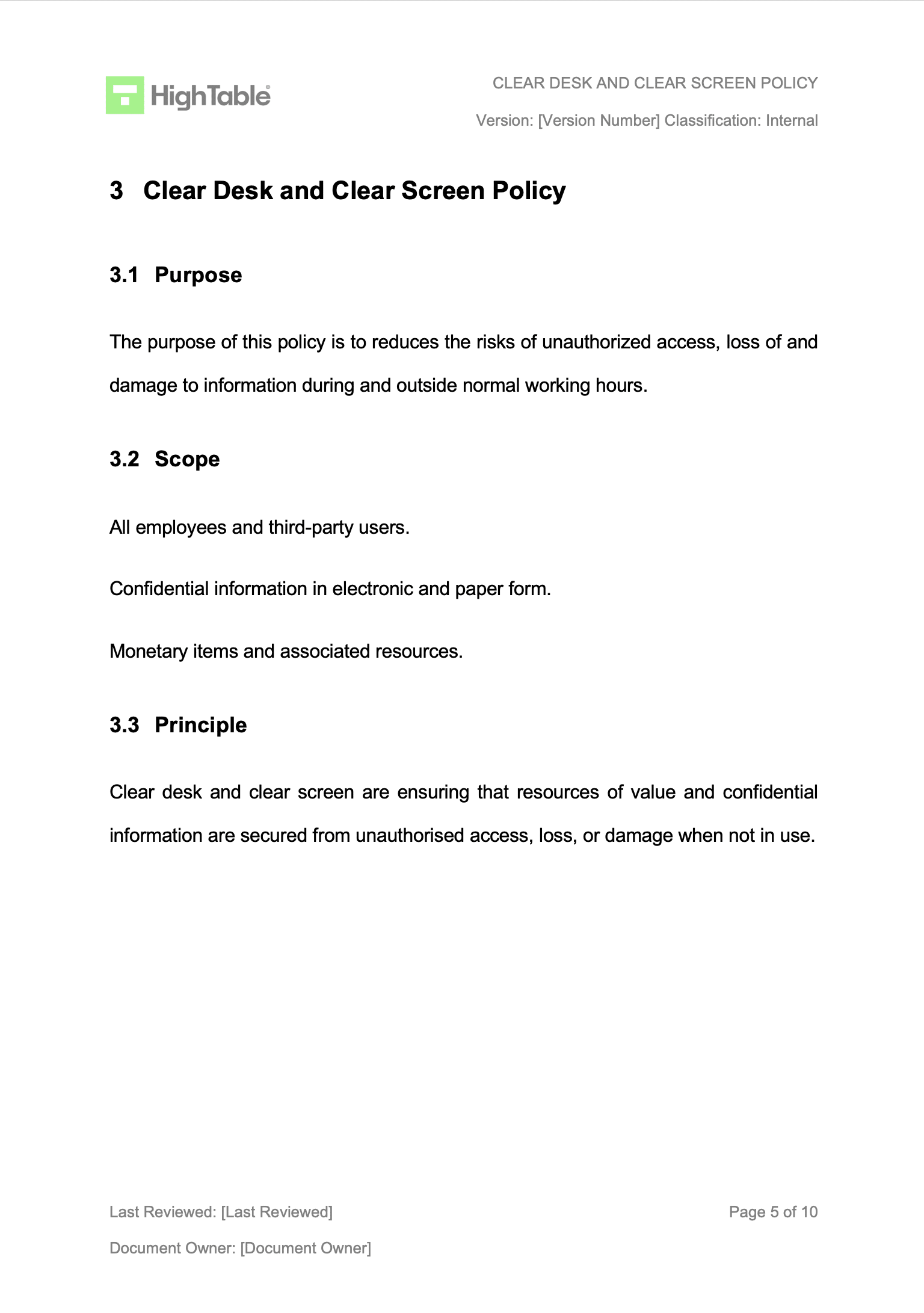
The purpose of the ISO 27001 Clear Desk Policy is reduce the risk of unauthorised access, loss of and damage to information during and outside normal working hours.
Physical information should be locked away and secured when not in use.
Clear desk and clear screen are ensuring that resources of value and confidential information are secured when not in use.
Why we need a clear desk for employees and customers
Think about the kinds of confidential information you can have about your colleagues and customers. You may well have bank statements, customer order details, employee contracts, employee data. All the kind of information that you use in your day to day job.
Then think to yourself, would I be happy if this was mine and someone took it.
Would I be happy if someone I did not know had my bank statements, or copies of my passport that I used as part of my company on boarding process. How happy would I be if a complete stranger had my medical records.
It isn’t just the potential for embarrassment, or that breach of trust, or knowing someone knows something deeply personal about you but it is also the risk posed to identity fraud.
These physical records, papers, contracts are important. They form the basis of our lives and they should be protected.
Why we need a clear desk policy for the organisation
Similar to personal data there is a lot of organisational data that you probably don’t want banded about willy nilly.
It could be company banks statements, company payroll information, company pension information. Perhaps you have growth targets, or are considering redundancies. Maybe you have company formation documents or, and yes they do still exist, customer cheques waiting to be paid in. Maybe you have a payment terminal to allow you take card payments over the phone.
There is a lot of organisation information that in the wrong hands could cause repetitional damage, embarrassment potentially, financial harm and even break the law if not protected.
The Top 5 Benefits of a Clear Desk Policy
There are many benefits to having a clear desk policy. Let’s explore the Top 5 Benefits of a Clear Desk Policy in this ultimate list:
- It protects your organisation by placing that confidential information out of sight and out of reach when unattended
- It encourages a tidy work space that can increase productivity
- It ensures compliance with standards such as ISO 27001 and SOC 2
- It is best practice in many organisations across the globe
- It is good for the environment as it encourages digital documents over physical print outs
What should ISO 27001 Clear Desk Policy Contain?
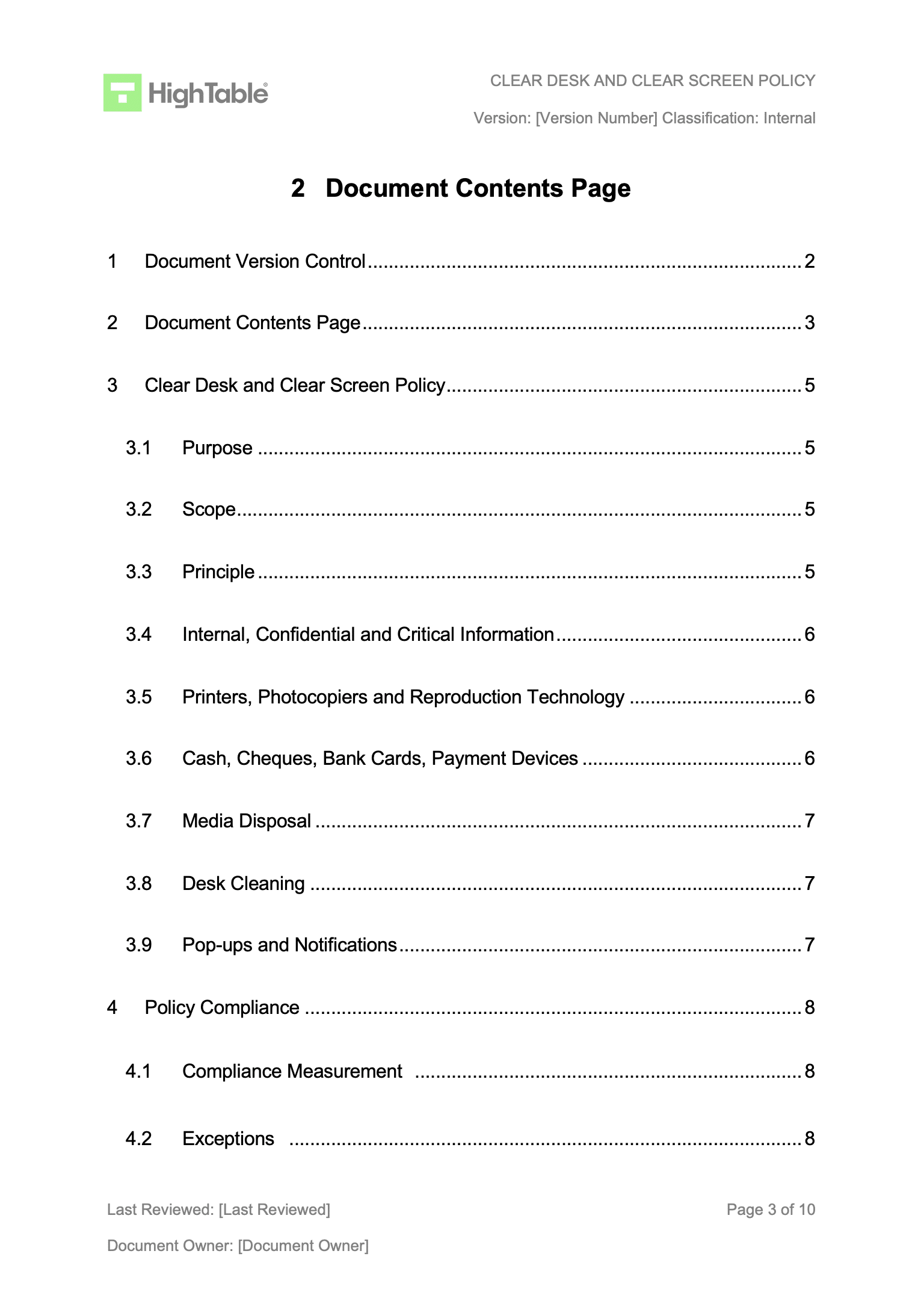
The ISO 27001 Clear Desk Policy is required to be presented in a certain way. What we mean by that is that the policy is expected to have certain document markup. Document mark up is just a fancy words for having certain information on the policy. It will need version control, a version number, an owner, an information security classification. An example ISO 27001 Clear Desk Policy table of contents would look something like this:
- Document Version Control
- Document Contents Page
- Clear Desk and Clear Screen Policy
- Purpose
- Scope
- Principle
- Internal, Confidential and Critical Information
- Printers, Photocopiers and Reproduction Technology
- Cash, Cheques, Bank Cards, Payment Devices
- Media Disposal
- Desk Cleaning
- Pop-ups and Notifications
- Policy Compliance
- Compliance Measurement
- Exceptions
- Non-Compliance
- Continual Improvement
- Areas of the ISO 27001 Standard Addressed
DO IT YOURSELF ISO 27001
Stop Spanking £10,000’s on Consultants and Platforms

How to write a clear desk policy
Writing a Clear Desk Policy is simpler than you might think. These are the steps that you would take.
1. Create your version control and document mark-up
Put in place a formal version control table for the policy that tracks the author, specific changes, date of amendment, and the version number. Apply document mark-up to ensure clear classification (e.g., Confidential or Internal) is visible on every page to align with ISO 27001 information handling requirements.
2. Write the document purpose
Write the purpose of the document and explicitly state that the policy reduces the risks of unauthorised access, loss of, and damage to information during and outside normal working hours. This aligns the policy with the overarching Information Security Management System (ISMS) risk treatment plan.
3. Write the scope of the policy
Set the scope to include all company employees and external party users. Ensure the policy covers confidential information in both electronic and paper formats, as well as monetary items and associated hardware resources used across the organisation.
4. Write the principle on which the policy is based
State that the core principle that clear desk and clear screen controls must ensure resources of value and confidential information are secured from unauthorised access, loss, or damage whenever they are not in active use.
5. Write the policy content
Set out the framework and what you do for clear desk under the following headings:
Internal, Confidential and Critical Information
Printers, Photocopiers and Reproduction Technology
Cash, Cheques, Bank Cards, Payment Devices
Media Disposal
Desk Cleaning
6. Communicate the clear desk policy to appropriate staff
Consider as part of your required communication plan the different ways and timings that are appropriate to you to communicate the clear desk policy. Make sure it is stored somewhere that people can easily access it at any time and that they can, indeed, access it.
7. Get evidence that the staff have accepted the clear desk policy
Using your acceptance methodology get staff to accept that they have read and understand the policy and accept its terms. Maintain evidence of this for future audit and potential disciplinary process.
8. Manage Exceptions
There may be things that cannot be secured for business or technical reasons. These should be identified, recorded, agreed and managed via risk management with effective compensating controls in place.
ISO 27001 Clear Desk Policy Example
The following is the ISO 27001 clear desk policy example
Clear Desk Policy for Remote Workers
The clear desk policy template covers and applies to remote workers. If you are writing your own policy from scratch and not using the template then you should consider that the same rules apply to remote workers. You set out the rules for securing confidential information and assets when not in use. This includes home offices where locks on offices should be considered and the use of lockable storage. Also take into account if you allow printing that a cross cut shredder may need to be provided to allow secure destruction of data.
If computer devices or sensitive documents like contracts are to be stored at a home location due to no office or storage consider restricting this to just one person and putting in additional physical security controls that takes into account the nature of what is being stored.
Often when people leave they return devices which can be a problem with no central location. We would encourage a process that does a remote wipe before the device is transported and stored which will reduce the information security risk.
Clear Desk Policy Mapped to ISO 27001
The ISO 27001 Clear Desk Policy satisfies the following ISO27001 Clauses and ISO27001 Annex A Controls:
- The requirement for clear desk and clear screen in ISO 27001 is covered in ISO27001 Annex A Control 7.7 Clear Desk and Clear Screen.
- You can also consider it in the context of ISO27001 Annex A Control 6.7 Remote Working.
FAQ
A clear desk policy is in place to provide guidance on what people should do when it comes to their desks either at home or at the office. It is not about cleaning but it is about making sure that important information and devices are secured when not in use. We do not want to leave them on desks when unattended.
You don’t HAVE to but keeping a clean and tidy desk can reap productivity benefits.
Secure them, ideally in lockable storage. Keeping them in a room that can be locked is also advisable. In basic terms don’t leave them where people can easily take them.
Yes. Physical security is a requirement of the ISO 27001 certification and ISO 27001 standard and you will need to implement a clear desk policy.
It would take just over 4 hours to research and write a clear desk policy from scratch even using AI.
A clear desk policy includes guidance on what to do with physical assets and physical copies of data that need protecting. As a rule this is confidential information. It sets out what should be done.
The clear desk policy would apply to all staff and third parties that work in and for your organisation.
The clear desk policy is reviewed at least annually and also when significant change occurs.
The clear desk policy is approved and signed off by the management review team.
The clean desk policy applies to remote workers. It ensures that remote work spaces are kept clear of confidential information and that information is secured when not in use. This applies to home offices as well as remote working locations.
Stuart Barker
Stuart Barker is qualified ISO 27001 Lead Auditor and a veteran practitioner with over 30 years of experience in systems security and risk management. Holding an MSc in Software and Systems Security, he combines academic rigour with extensive operational experience, including a decade leading Data Governance for General Electric (GE).
Now he is founder and Lead ISO 27001 Consultant at High Table, the worlds number 1 dedicated ISO 27001 Consultancy.
